
Sorting Collection Entries
Table of Contents
Sorting
Sorting controls the order in which entries appear in your Collection view. You can sort by any field, in ascending or descending order, and sort by multiple fields at once.
Sorting in Table View
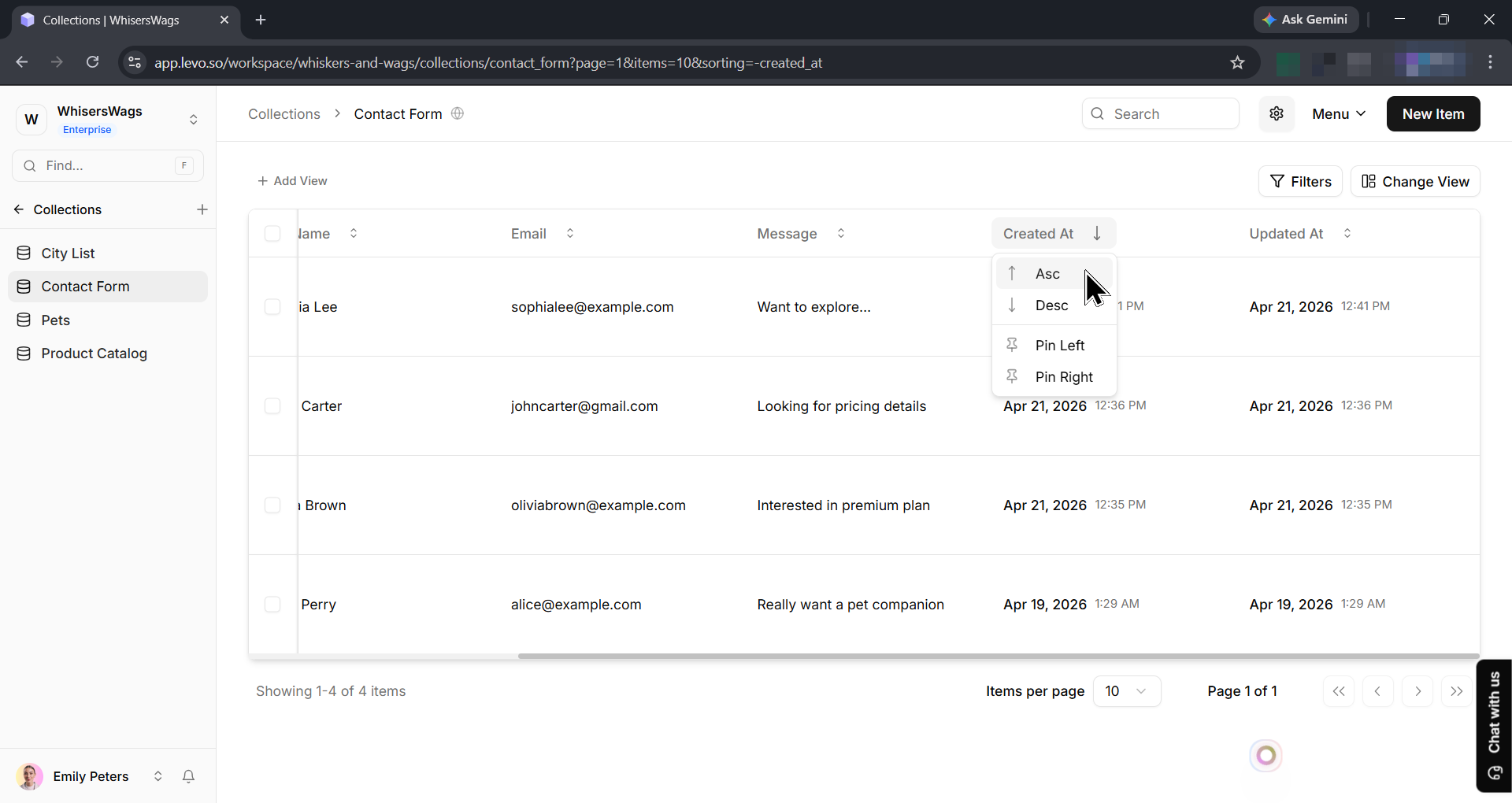
Click any column header to sort by that field in ascending order. Click again to reverse to descending order. A third click removes the sort entirely.
Arrow indicators appear on column headers:
↑ Up arrow — Ascending order (A → Z, 0 → 9, oldest → newest)
↓ Down arrow — Descending order (Z → A, 9 → 0, newest → oldest)
Sorting in Other Views
Kanban — Entries within columns follow the chosen sort. Drag-and-drop reordering within a column does not modify the underlying sort setting.
Calendar — Entries are positioned based on their date field. Multiple entries sharing a date are ordered by the sort setting.
Cards — The sort applies to card grid ordering.
Saving Sort Order
Sorting is saved when you save a view. If you want a particular sort to persist for your team, configure it and click Save View.
See the Views documentation for additional information on saving and managing views.