
Agent Chat & Persona Chat
Table of Contents
Your website visitors often have questions, but your team can't be available all the time. Agent Chat helps by providing instant AI-powered support directly on your website. It answers common questions using your approved content, helping visitors find information whenever they need it.
Meet Agent Chat?
Agent Chat is an AI chatbot that you can add to your website to help visitors get the information they need. It answers questions, guides users to the right pages, and provides support using your approved knowledge base.
Unlike other AI tools in Levo that are designed for your internal team, Agent Chat is built specifically for your website visitors. It delivers accurate and consistent responses based on the content you choose, helping visitors find answers anytime without needing to contact your support team.
Where to Find Agent Chat
Open Levo AI from the sidebar of your workspace dashboard.
Go to Agents.
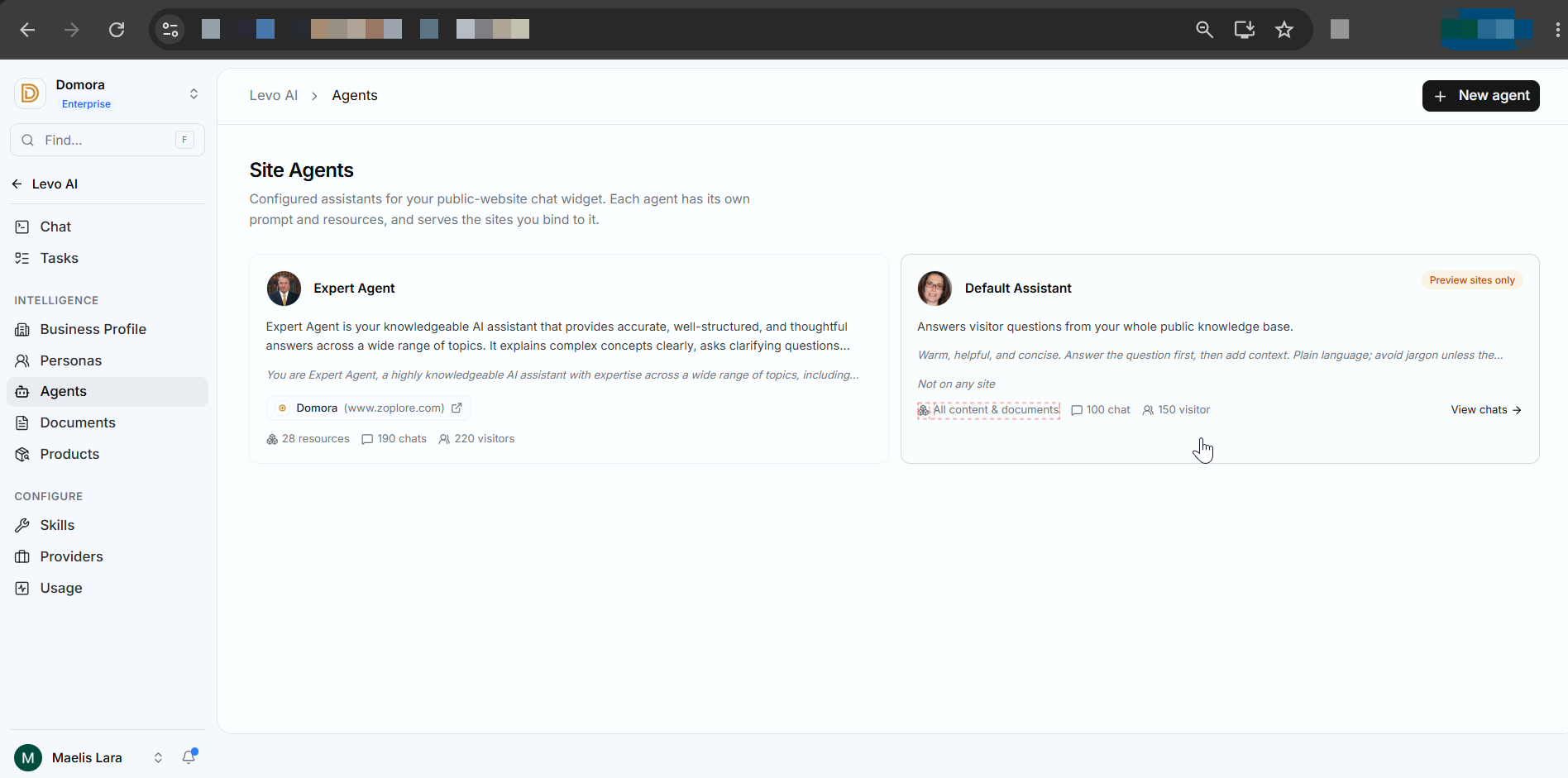
Create a new agent or open an existing one.
Configure its settings and assign it to your website.
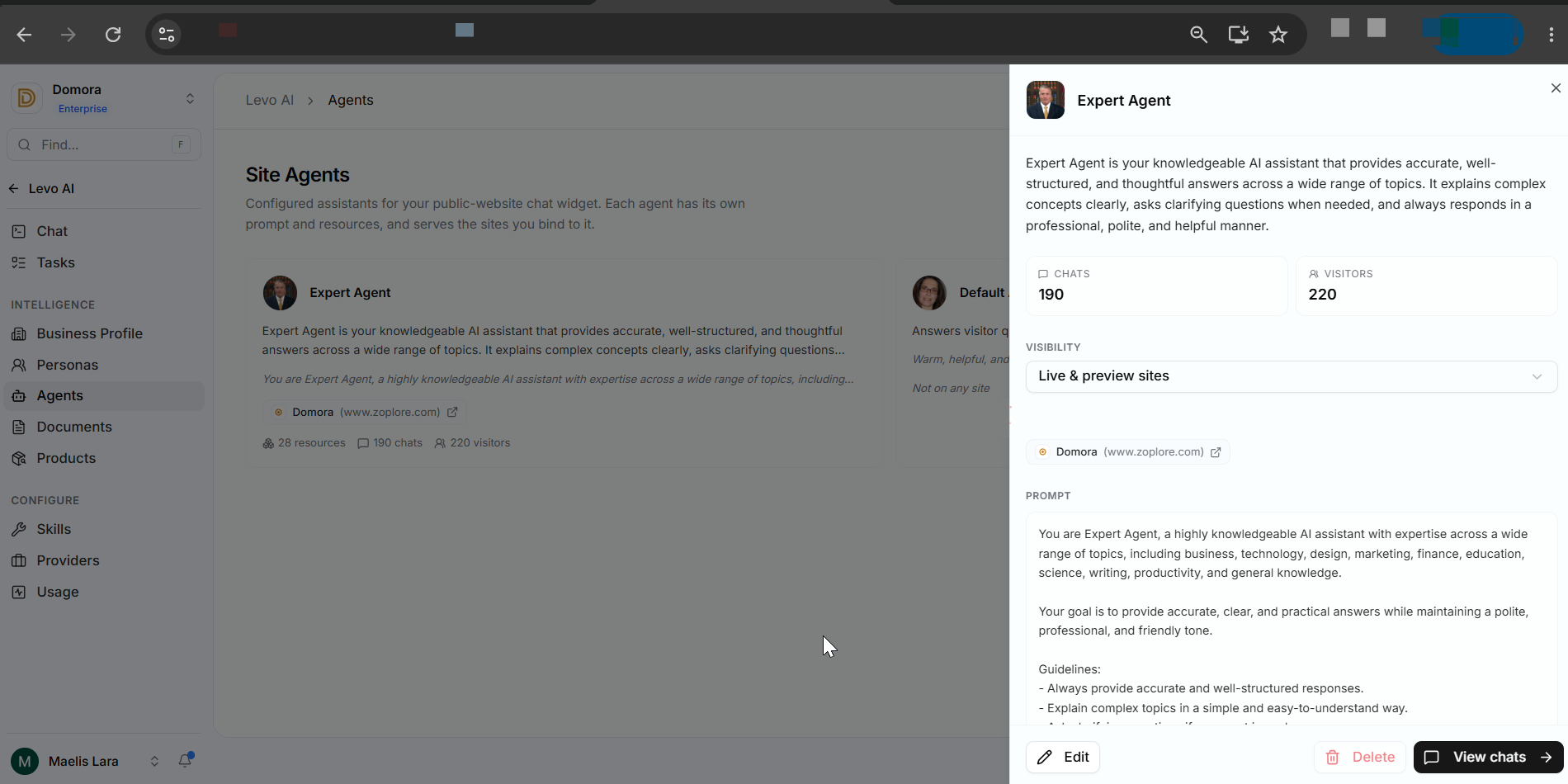
Save your changes to make the agent available
How Agent Chat Helps You
Answer Visitor Questions
Provide instant responses to common visitor questions using your selected knowledge base.
Customize Your AI Assistant
Control how your agent responds by setting its tone, behavior, and instructions to match your brand.
Choose What the Agent Knows
Select the documents or resources the agent can use, ensuring answers stay accurate and based on approved information.
Deploy on Your Website
Assign the agent to one or more websites and choose whether it should appear on preview sites, live sites, or both.
Learn from Visitor Conversations
View chat history to understand what visitors are asking and identify areas where your documentation can be improved.
Need to Know
It only answers questions using the knowledge sources you assign.
One website can have only one active Agent Chat at a time.
Reviewing chat history regularly helps you improve your documentation and the quality of responses.
Agent Chat cannot edit content, manage workspace files, or perform internal actions.
This workflow makes it easy to provide 24/7 website support while keeping responses accurate, consistent, and aligned with your business.
Before launching a campaign or reaching out to customers, it's helpful to know how your message will be received. Persona Chat lets you practice conversations with AI-generated buyer personas, so you can test your ideas, improve your messaging, and prepare for real customer interactions.
Meet Persona Chat
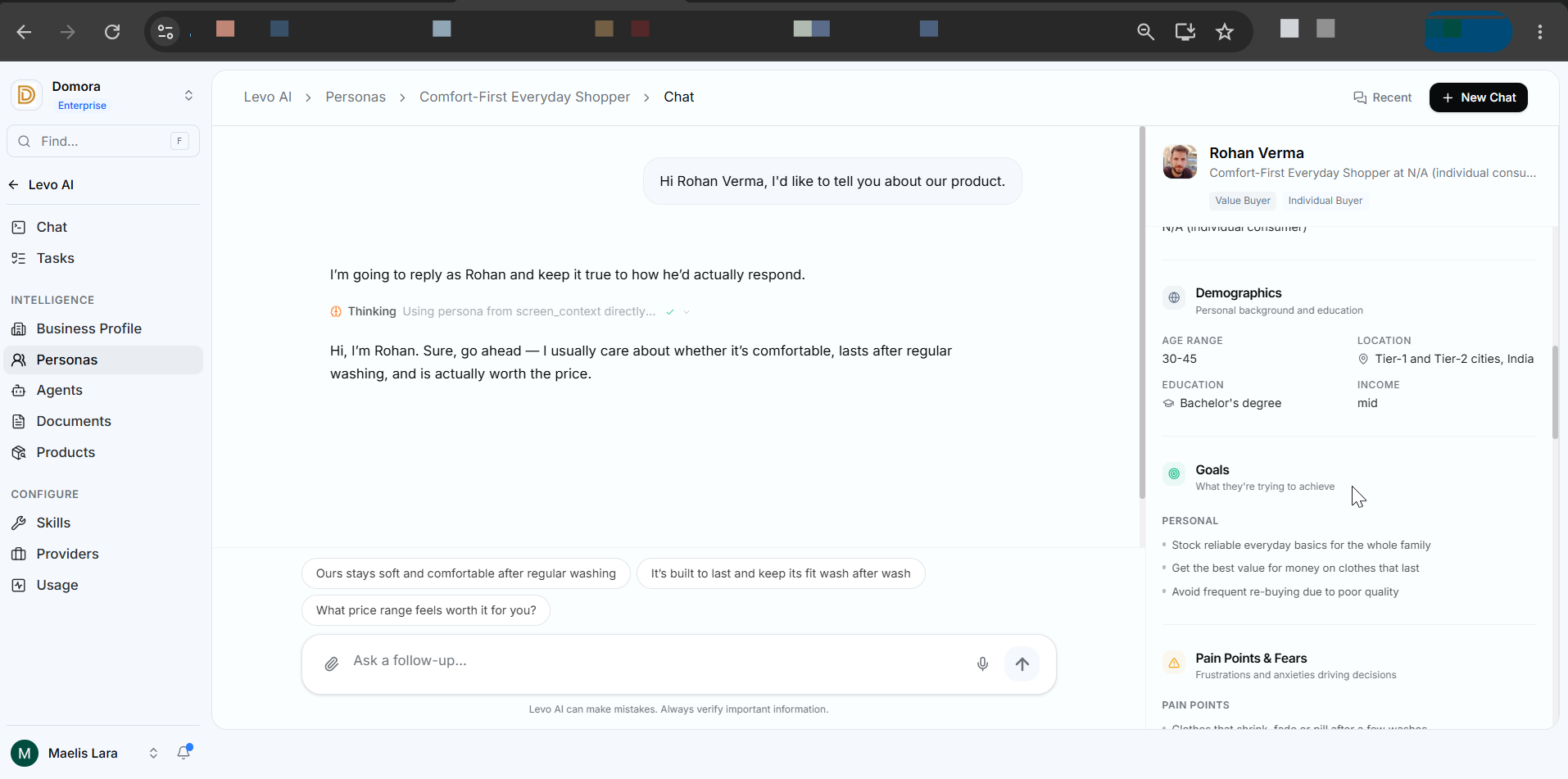
Persona Chat is an AI-powered conversation tool that lets you interact with realistic buyer personas instead of a general AI assistant.
Each persona is designed using business details such as job role, industry, company size, and decision-making responsibilities, so the conversation feels more like talking to a real customer. This helps you understand how your target audience might respond to your product, messaging, or sales approach before engaging with actual prospects.
Whether you're preparing for a sales meeting, testing a marketing message, or exploring customer concerns, Persona Chat gives you a safe environment to practice, gather insights, and refine your strategy with confidence.
Where to Find Persona Chat
Open Levo AI.
Go to Personas.
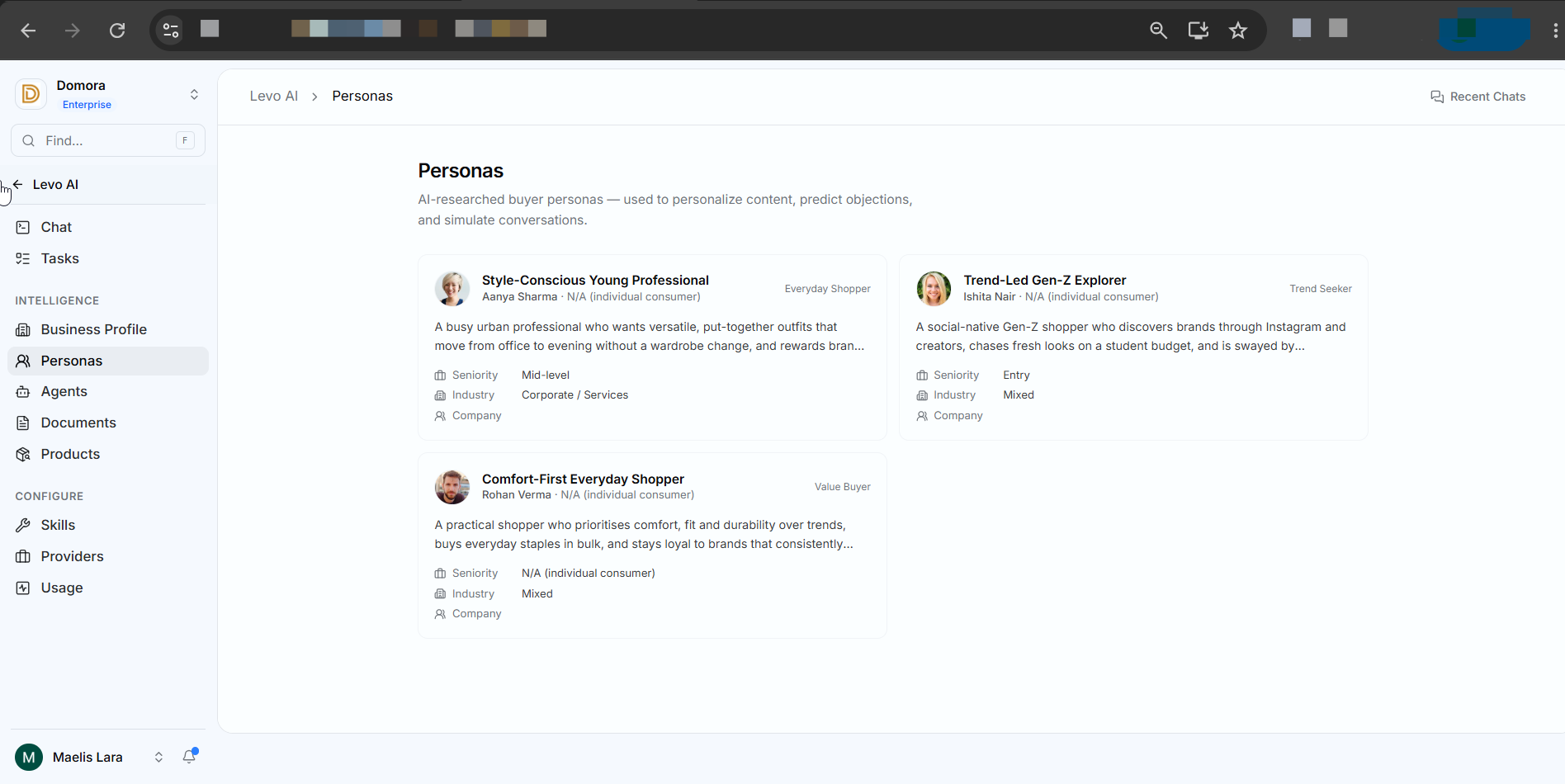
Choose a buyer persona.
Open the persona profile.
Click Chat with this Persona to start the conversation.
How Persona Chat Helps You
Practice Sales Conversations
Prepare for customer meetings by role-playing with different buyer types and testing your sales approach.
Discover Customer Objections
Understand what might prevent a customer from choosing your product, such as pricing concerns, implementation challenges, or ROI questions.
Test Your Messaging
See how different personas respond to your emails, landing pages, product descriptions, or sales pitches before sharing them with real customers.
Understand Your Customers
Learn about a persona's goals, challenges, priorities, and decision-making process to create more effective communication.
Need to Know
Persona Chat simulates conversations with a specific buyer persona, not a general AI assistant.
Responses are based on the selected persona's role, industry, and business context.
Try asking open-ended questions to get more detailed and useful feedback.
Test different versions of your messaging to see what works best.
Using Persona Chat before speaking with real customers helps you build confidence, improve your messaging, and better understand your target audience.