
Displaying Blog Posts on Your Website
Table of Contents
Studio Integration
Connect your Blogs module to website pages in Studio using pre-built Blog blocks, eliminating the need to build from scratch.
Blog Blocks (Recommended Approach)
Levo provides ready-to-use blocks in Studio → Blocks → Blog category.
These blocks are pre-wired for blog data - they handle layout, typography, and data binding out of the box.
Drop them onto pages, connect your blog, and publish without manually configuring context variables.
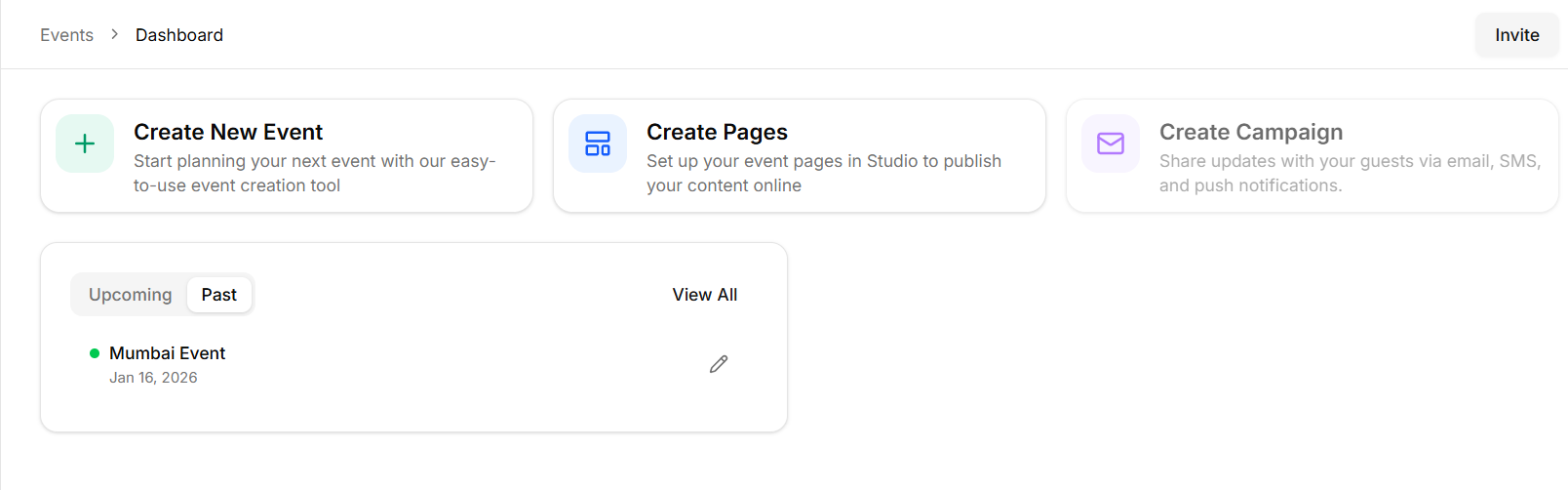
Two page types your blog needs
A blog in Levo works using two different page types. Each page serves a different role in how visitors discover and read your posts.
One page shows a list of posts, while the other displays the full content of a single post.
Static Blog Listing Page
The blog listing page is where visitors browse your articles. It displays multiple posts together, usually in a grid or list layout. Because this page simply shows a collection of posts, it remains a Static page.
How to create it
Navigate to Studio → Pages.
Click Create Page.
Set the Page Type to Static and give it a URL (like
/blog).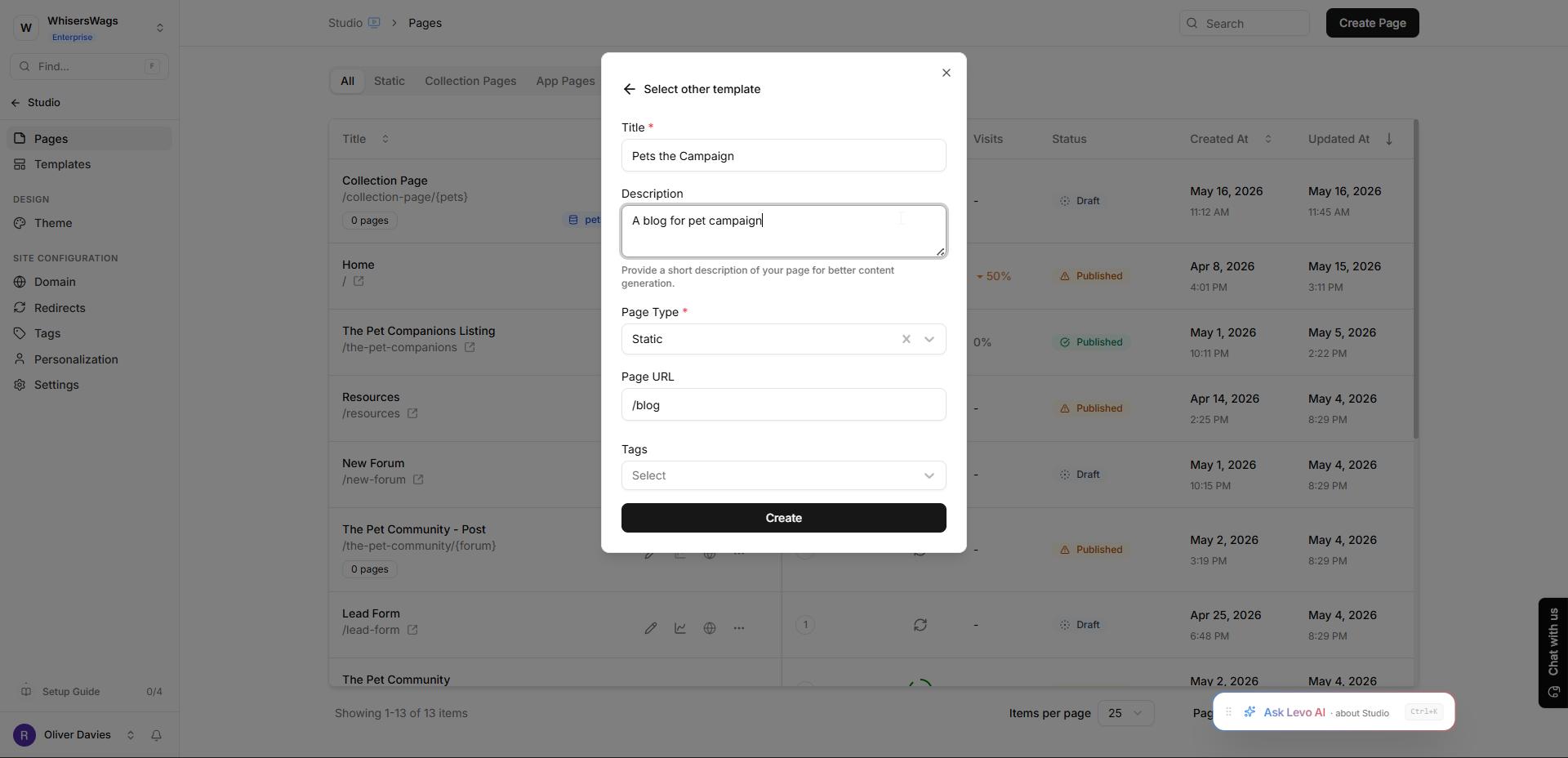
Click Create to open Studio.
Inside Studio, open the Blocks panel and drag a Blog Listing block onto your canvas.
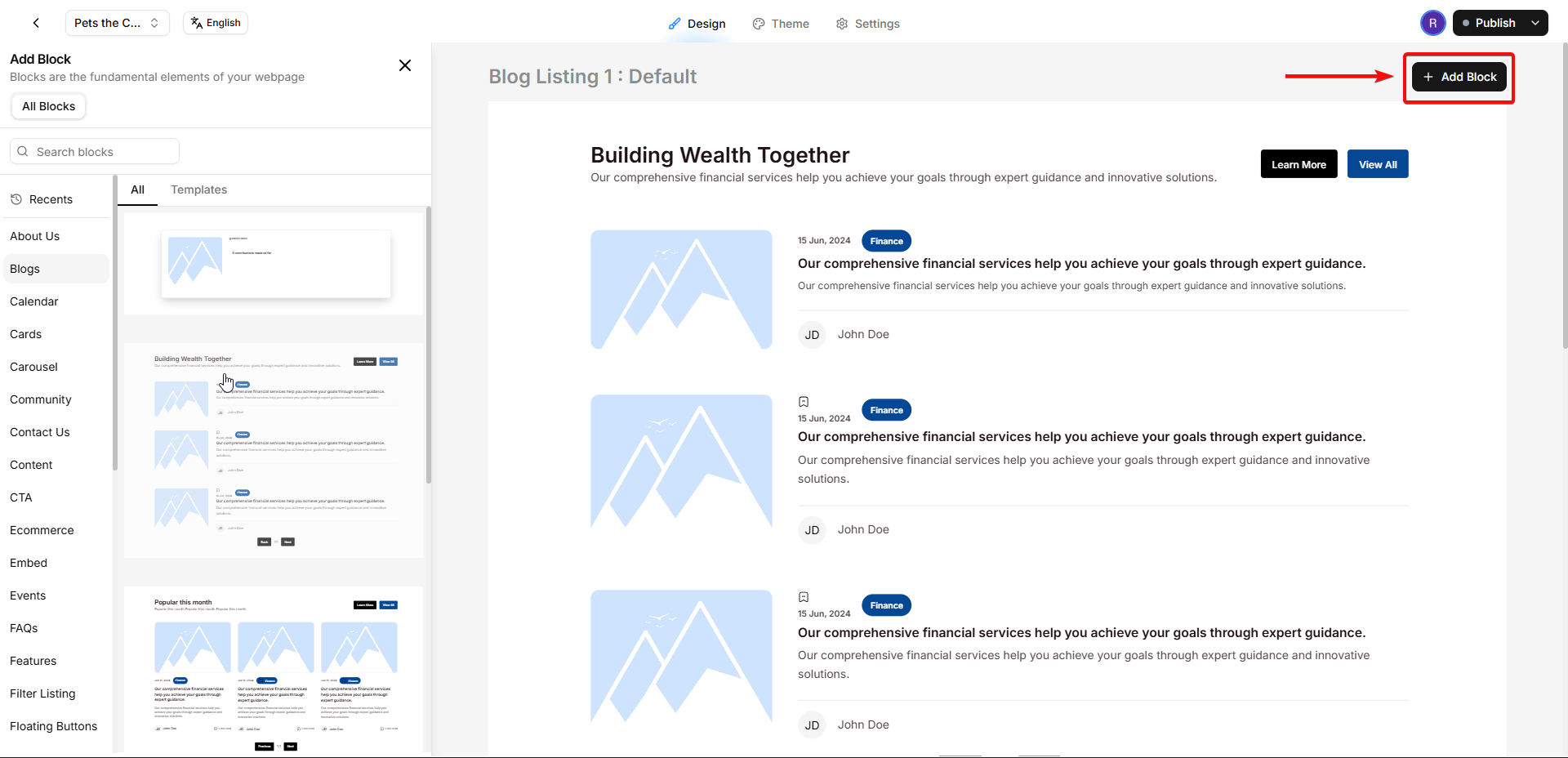
Click the block to open its settings and ensure your specific blog is selected as the Data Source. This automatically pulls in your published posts!
2. Dynamic Post Detail Page
The post detail page is where someone reads an individual article. Instead of creating a new page for every single post, Levo uses one Dynamic page as a template that automatically generates a unique URL and pulls in the right content for every blog post in your workspace.
How to create it
Navigate to Studio → Pages.
Click Add Page.
Set the Page Type to Blog (this is the crucial step!).
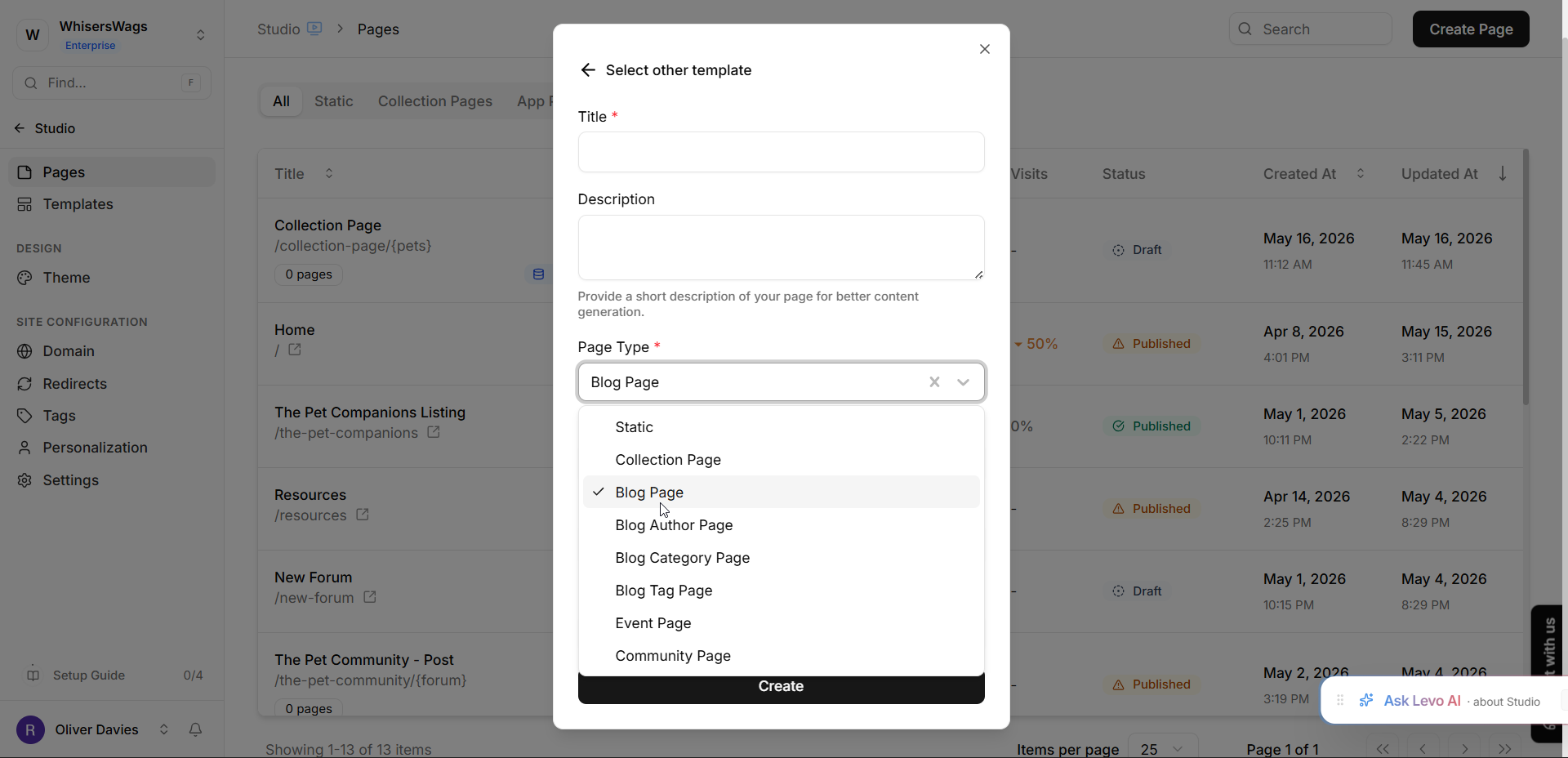
A new Sources dropdown will appear. Select your Blog from the list.
Create a URL with a variable, like
/blog/{blog_slug}.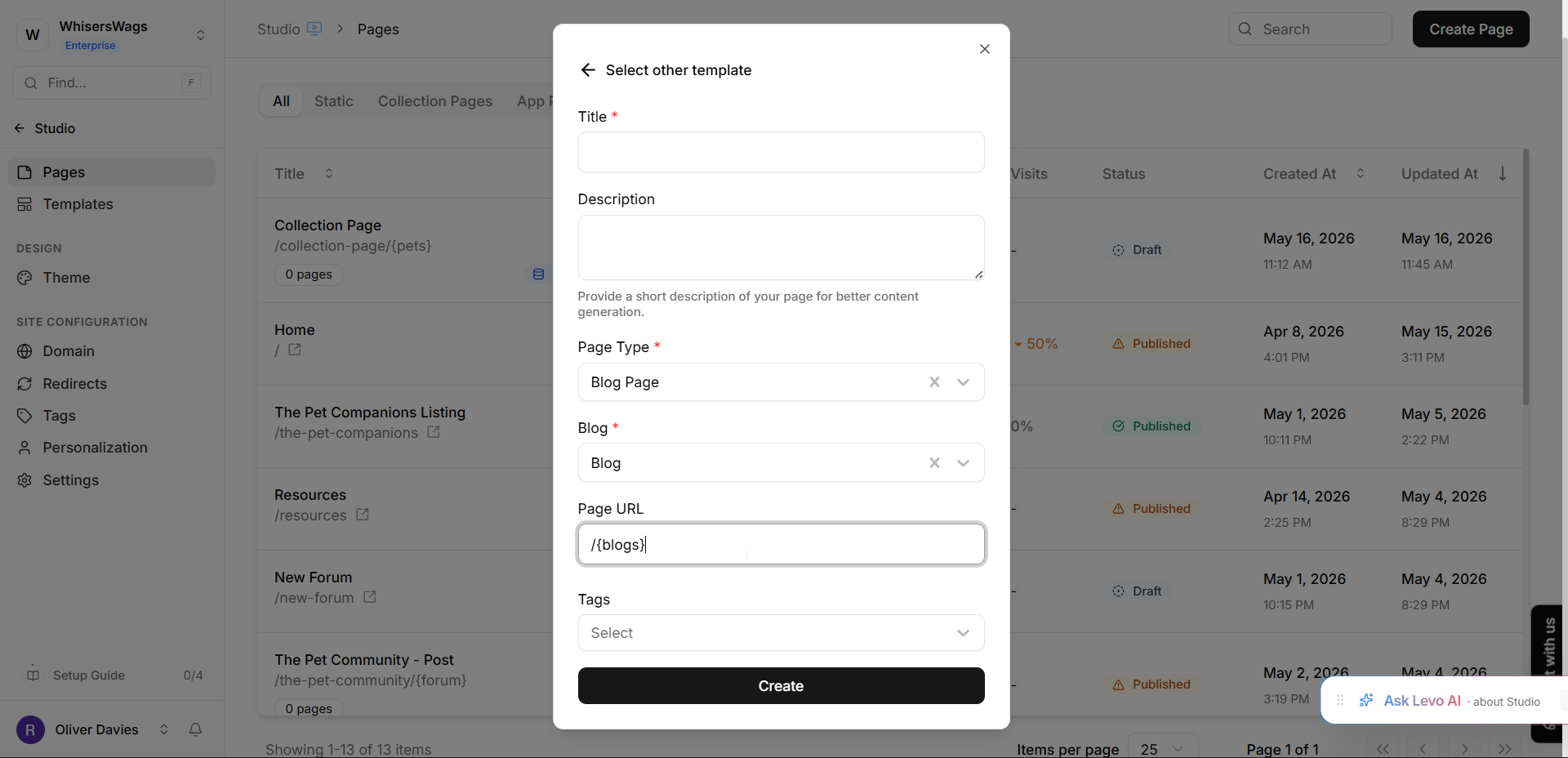
Click Create to open Studio.
Inside Studio, use Blog Post blocks (like the Post Title, Post Content, and Cover Image blocks) to design the layout. These blocks will automatically populate with the content of whichever post a visitor clicks on!
The Connection Process
These two pages connect automatically through Levo's Data Sources!
When you set your dynamic page's source to your Blog, Levo registers it.
Then, when a visitor clicks on an article from your Blog Listing block on the static page, the block automatically knows to send them to the dynamic detail page using the correct URL slug.
You don't need to manually link every single post!
Additional Page Types
Levo can also generate pages for authors, categories, and tags. These pages organize your content and make it easier for visitors to explore related posts.
Each of these uses a corresponding Blog App Page type. When created, Levo automatically generates a unique URL for every author, category, or tag.
For example, an author page displays all posts written by a specific author, while category and tag pages group posts based on their assigned topics.
SEO Configuration
The Post Detail Page controls the SEO metadata for individual blog posts. Instead of setting metadata manually for each article, you can use context variables that automatically pull values from the post.
Common examples include:
Meta Title:
{context.blog.post.title} — Your Blog NameMeta Description:
{context.blog.post.summary}OG Image:
{context.blog.post.og_image}
These automatically resolve to individual post values.
Post Preview
Before publishing, you can preview a post directly from the Blog dashboard.
Previewing allows you to check the page layout, confirm that the content appears correctly, and verify that your SEO settings are applied as expected before the post goes live.