
Activity Log — Track Every Workspace Change
Table of Contents
Activity Log
The Activity Log provides a clear record of important actions within your workspace. It shows who performed an action and when, helping you maintain visibility and accountability.
How to Access
If you have the required permissions:
Open your Workspace Dashboard
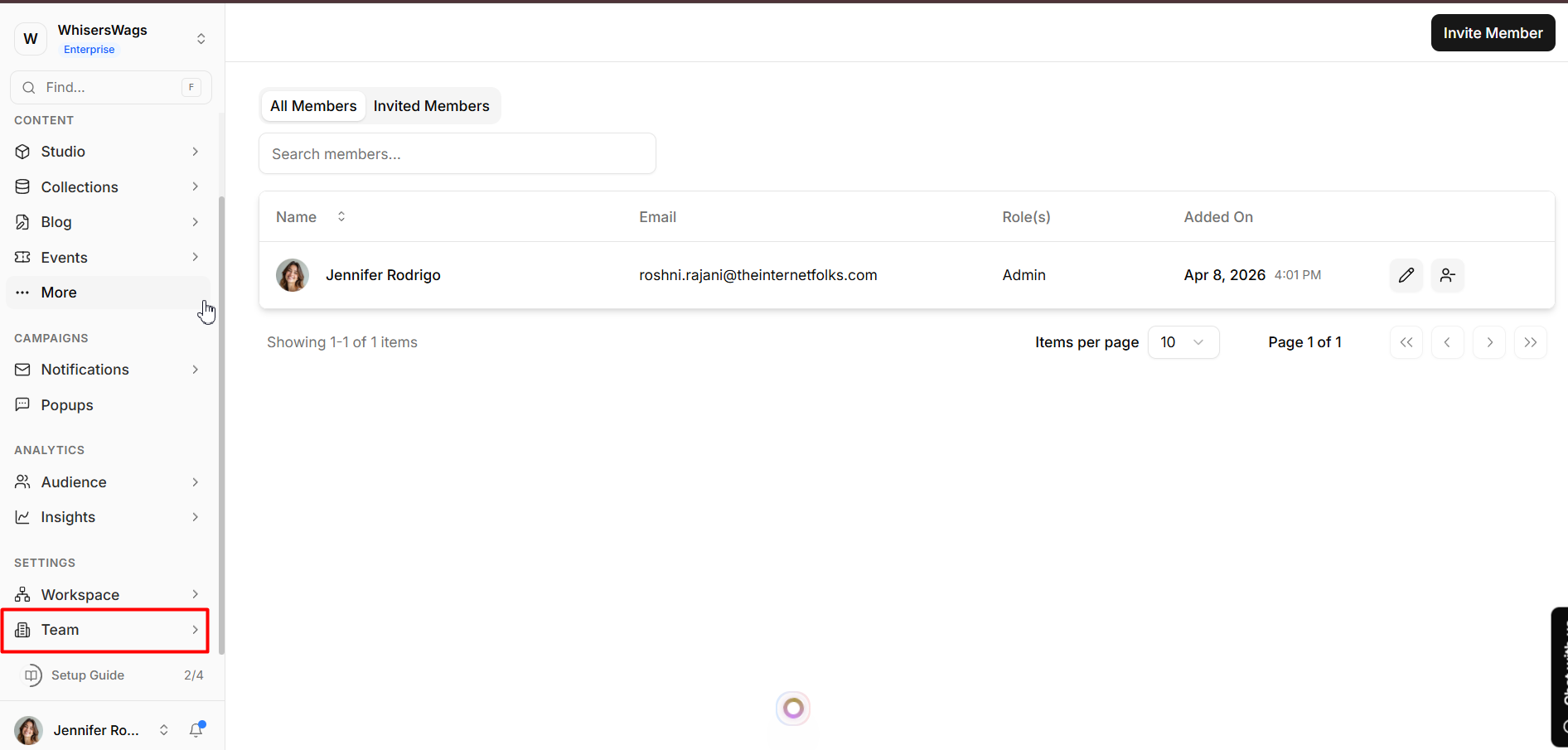
Go to Team from the left-hand menu
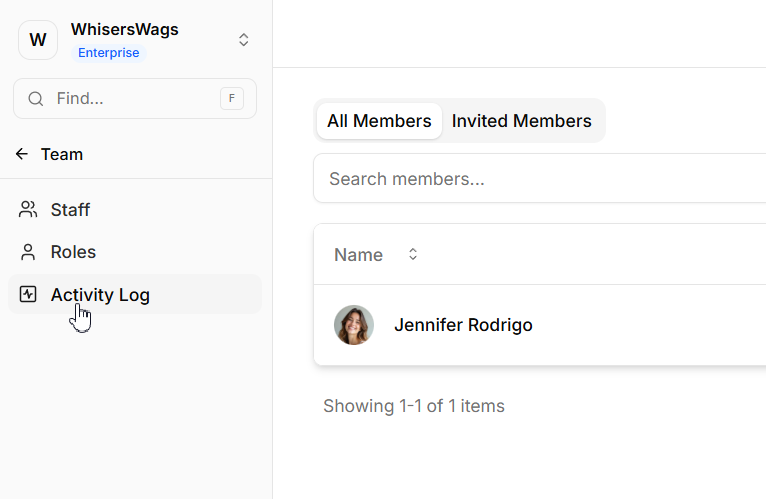
Select the Activity Log tab
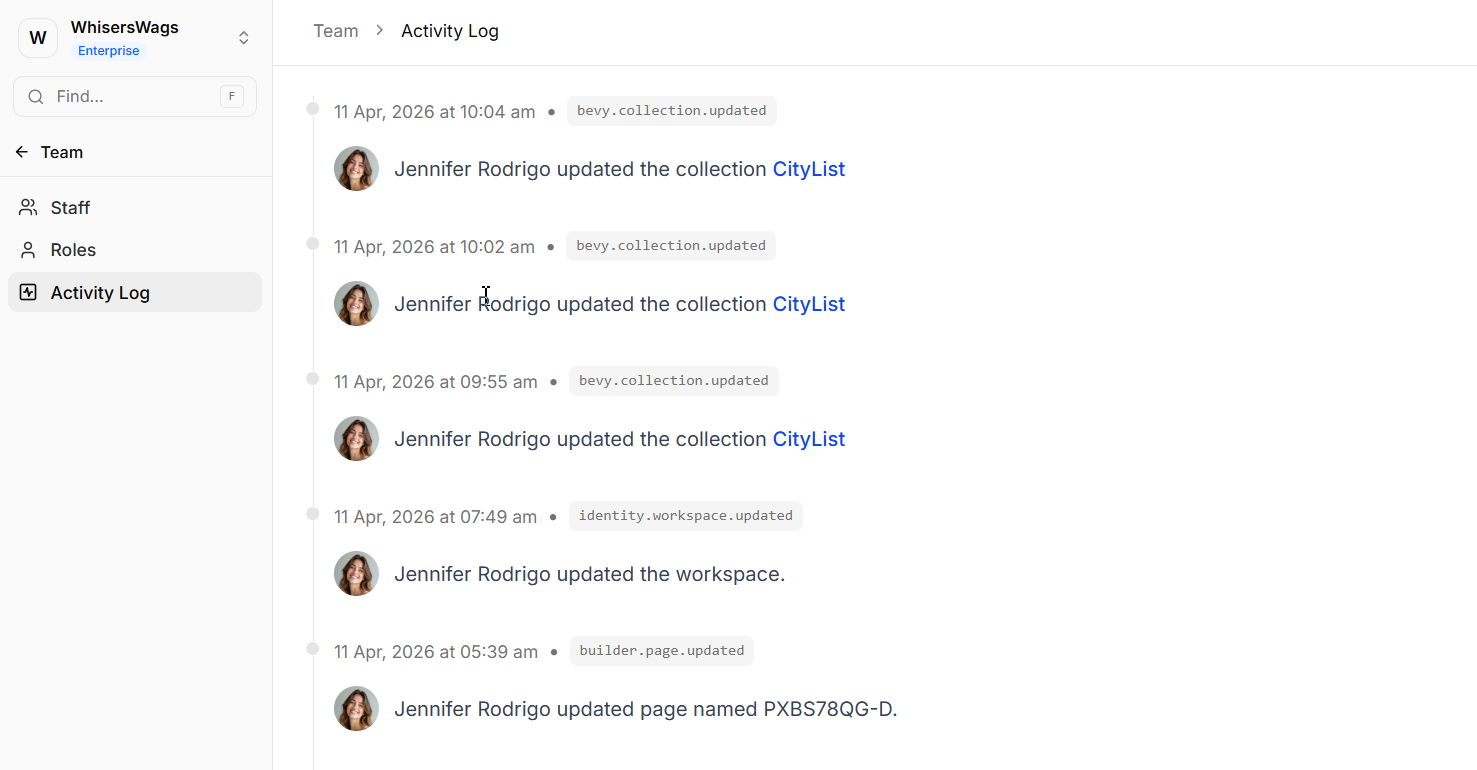
Review the timeline of events
What It Tracks
The Activity Log automatically records key activities, including:
Content Changes – Creating, editing, publishing, and deleting items
Team Activity – Inviting users, role updates, and logins
Setup Changes – Page creation, domain setup, and redirects
Settings Updates – Configuration changes, API keys, and webhooks
Permissions
Access is restricted due to the sensitive nature of this data.
Requires identity.activity: read permission
Typically available to Super Admins and Admins only
Why It Matters
Quick issue resolution – Identify what changed and by whom
Audit readiness – Maintain a reliable activity history
Team oversight – Monitor usage and changes across the workspace