
Team Management Overview
Table of Contents
The Team module serves as the central interface for managing workspace access and enforcing permission control. It enables administrators to define, assign, and monitor access at a highly granular level—ranging from full platform permissions to restricted, resource-specific access (such as a single Studio site, Blog, or Database Collection).
Access and Navigation
To access the Team module:
Open your workspace dashboard
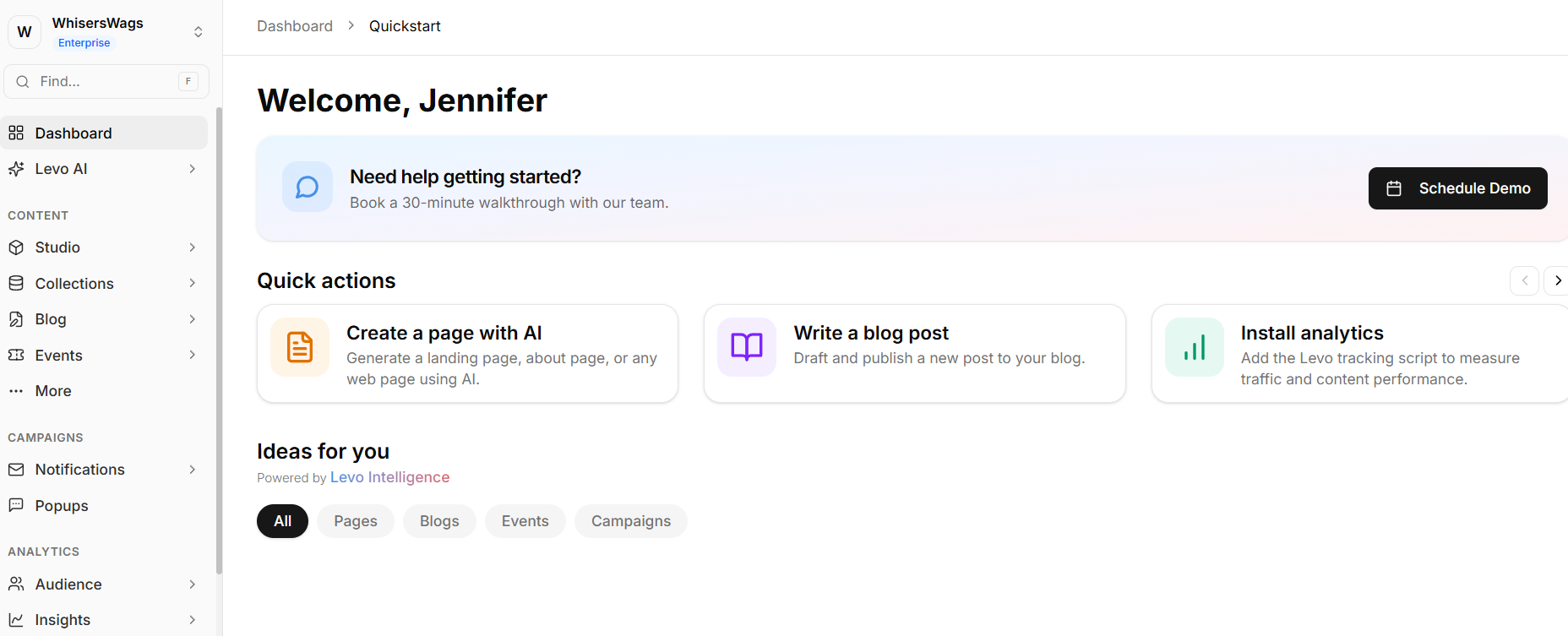
Navigate to the left-hand sidebar
Locate the Settings section
Expand the Team dropdown
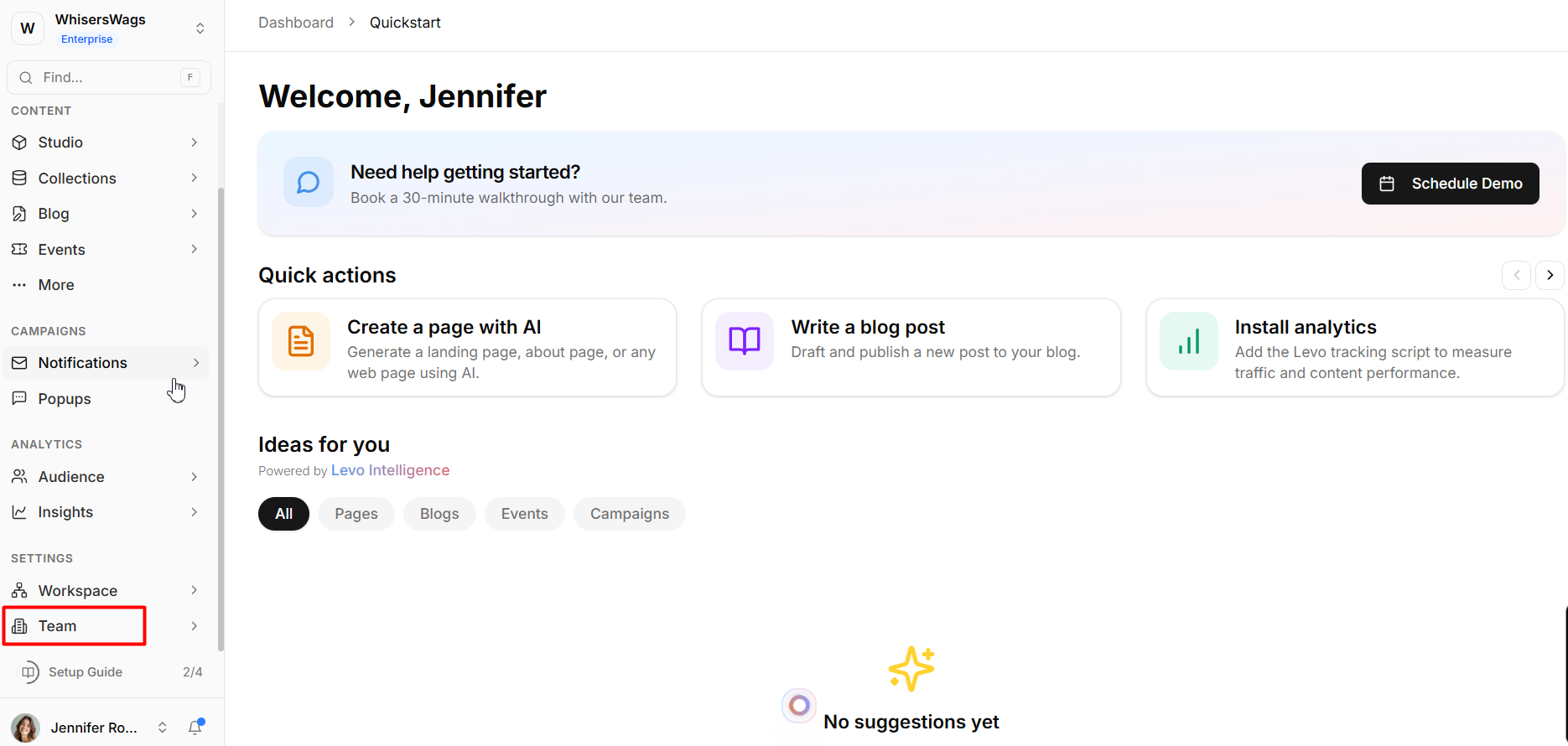
From here, you can access the three primary administrative dashboards: Staff, Roles, and Activity Log.
Administrative Dashboards
Staff
The Staff dashboard functions as the primary interface for managing internal users.
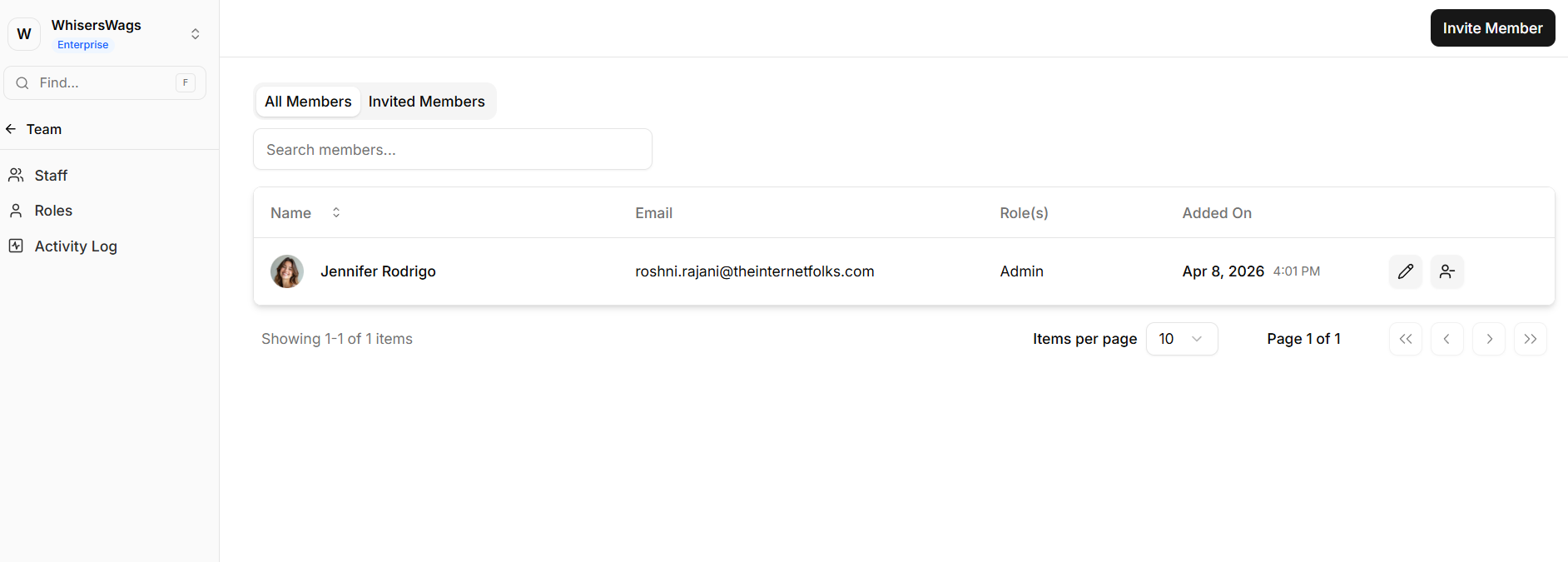
It provides:
A complete list of active team members
Visibility into pending invitations
Assigned roles for each user
User join dates
This view offers a clear overview of workspace access and user distribution.
Roles
The Roles dashboard is the permission configuration layer of the system.
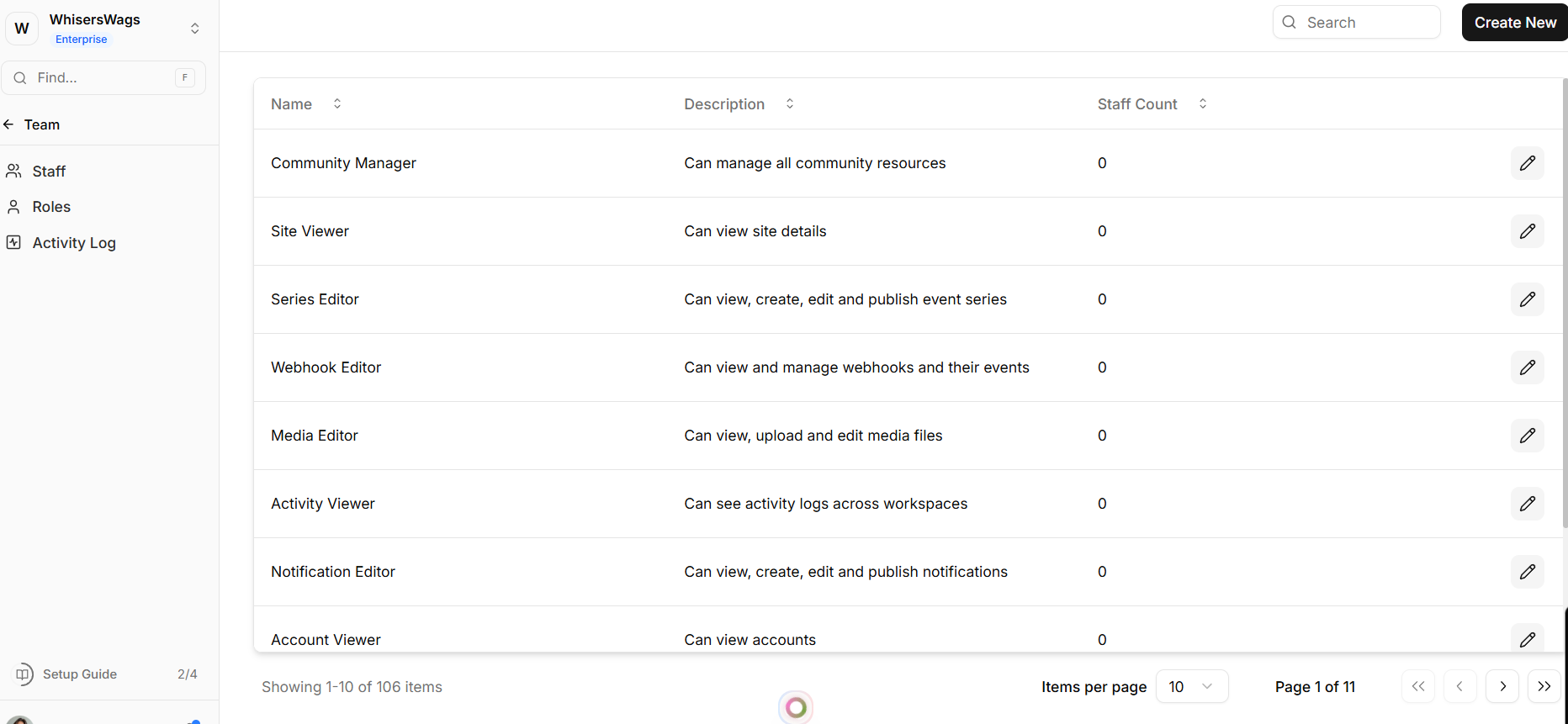
It allows administrators to:
Create custom roles with defined access rules
Configure permissions across modules and resources
Assign reusable role definitions to team members
This enables consistent and scalable access control across the workspace.
Activity Log
The Activity Log acts as a system-wide audit trail.
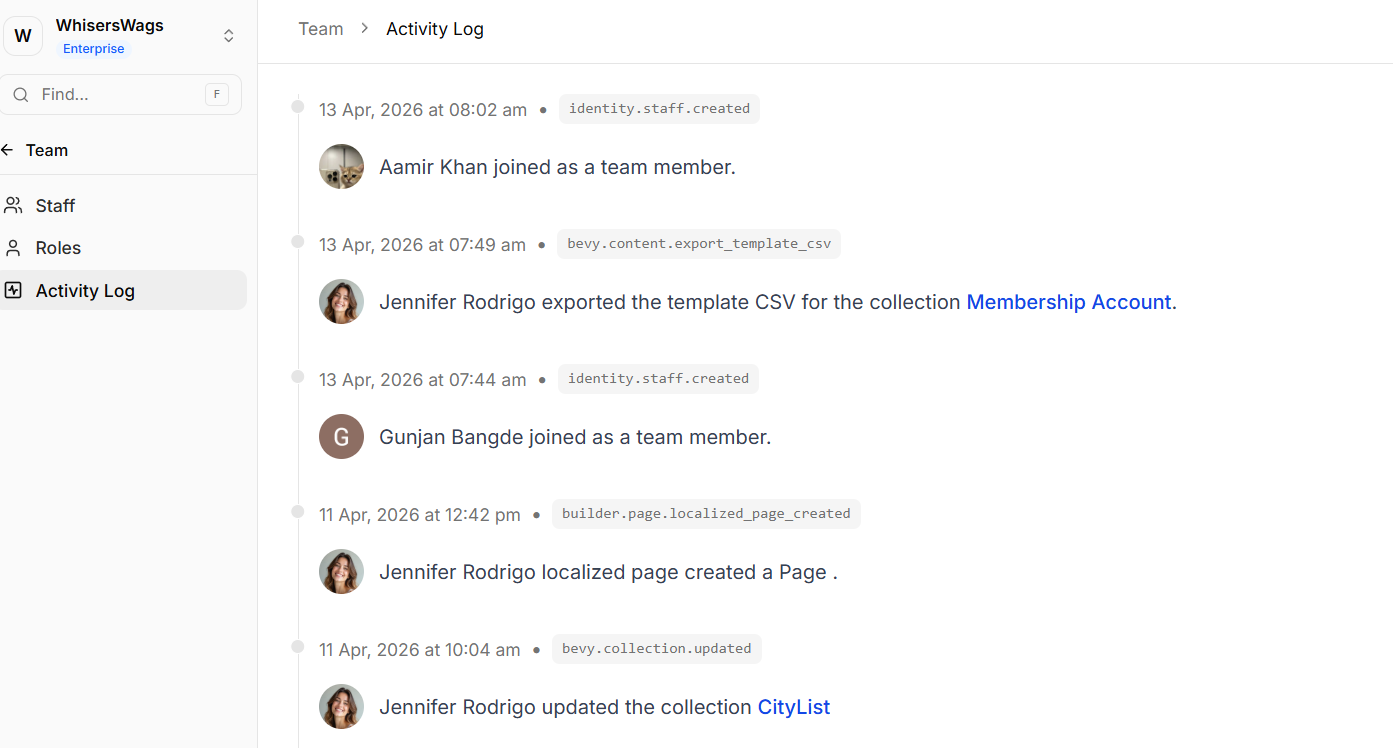
It records:
User actions and interactions
Authentication events (logins)
System updates and changes
Deletion and modification events
All entries are logged chronologically, ensuring full traceability and accountability.