
How to change access settings of Community in Levo?
Table of Contents
This guide explains who can access your community and how different settings control what people can see and do. It covers access inside the Dashboard as well as on your live website, helping you understand how permissions, visibility, and participation work together.
Where to Find Settings
Go to: Community → Your Forum → Settings
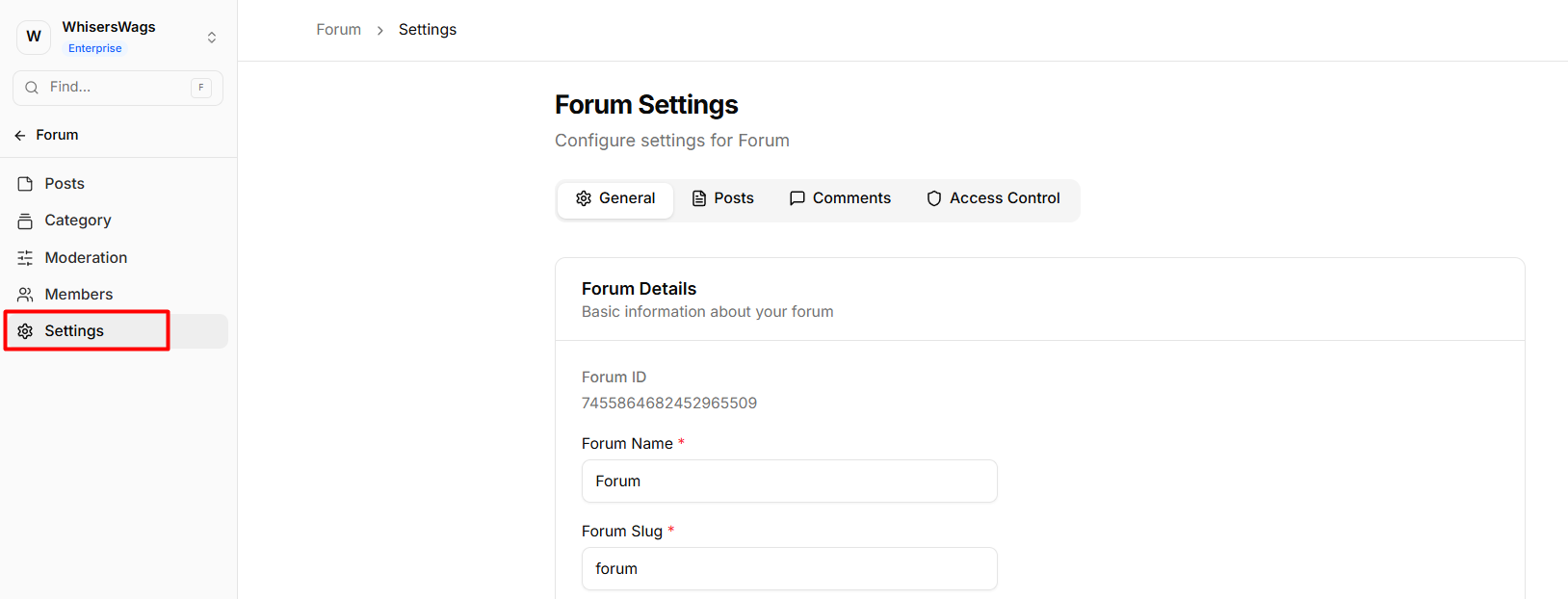
Settings are grouped into four tabs:
General, Posts, Comments, and Access Control
General
The General tab defines the identity of your forum. Changes require clicking Save Changes.
Fields
Forum Name
The display name shown in the header, sidebar, and Community Profile Card. Choose something clear and relevant.
Forum Slug
A URL-friendly identifier used internally by the system and Studio.
 Renaming the slug will break Studio bindings and any existing URLs.
After changing it, reconnect the forum in your Studio page.
Forum Description (Optional)
A short summary shown in the Community Profile Card. Useful for setting expectations for new users.
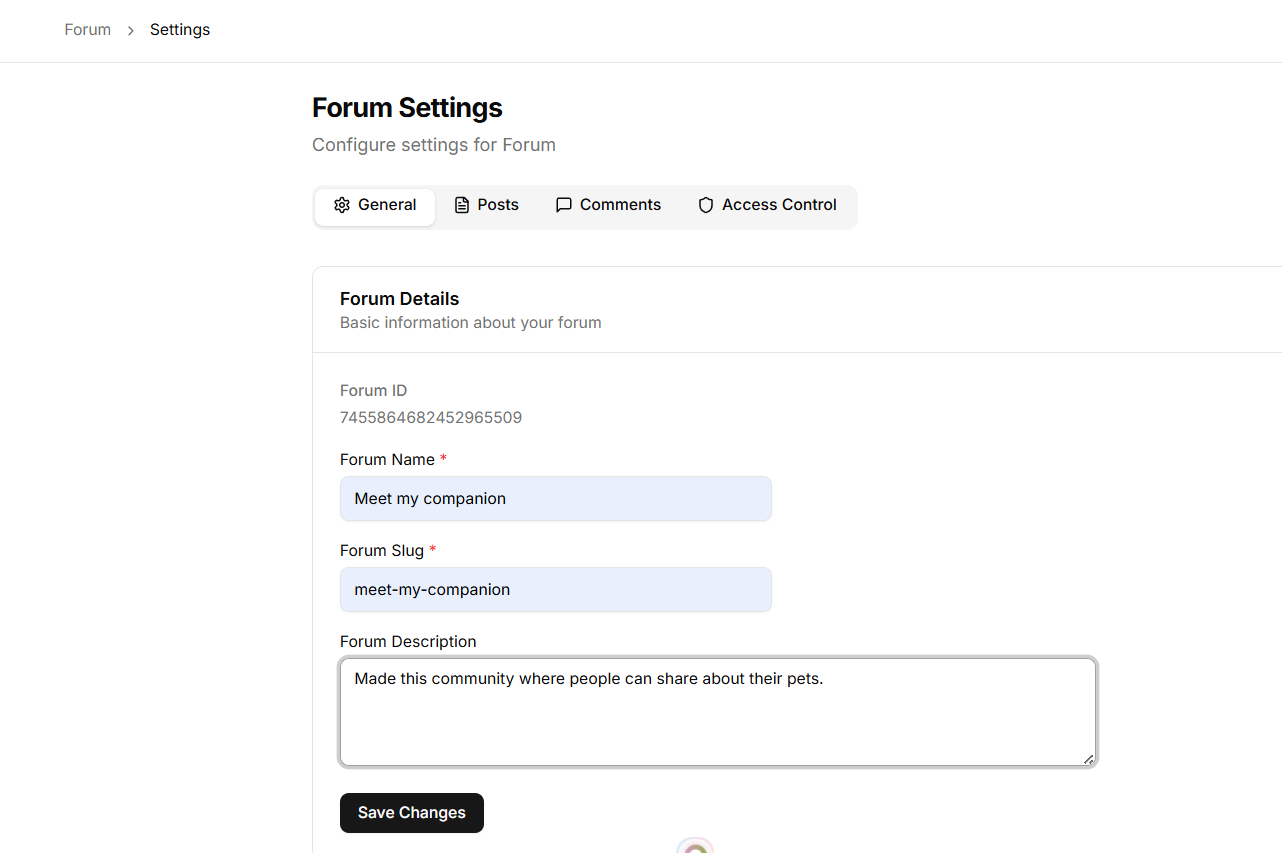
Click Save Changes after editing.
 Danger Zone
Delete Forum
Permanently deletes the forum and all associated data:
Posts and content
Comments and replies
Members and memberships
Categories and tags
Note: This action is irreversible.
Studio pages linked to the forum will remain but show empty content. You’ll need to update or remove them manually.
Only Workspace Owners can delete a forum.
Posts
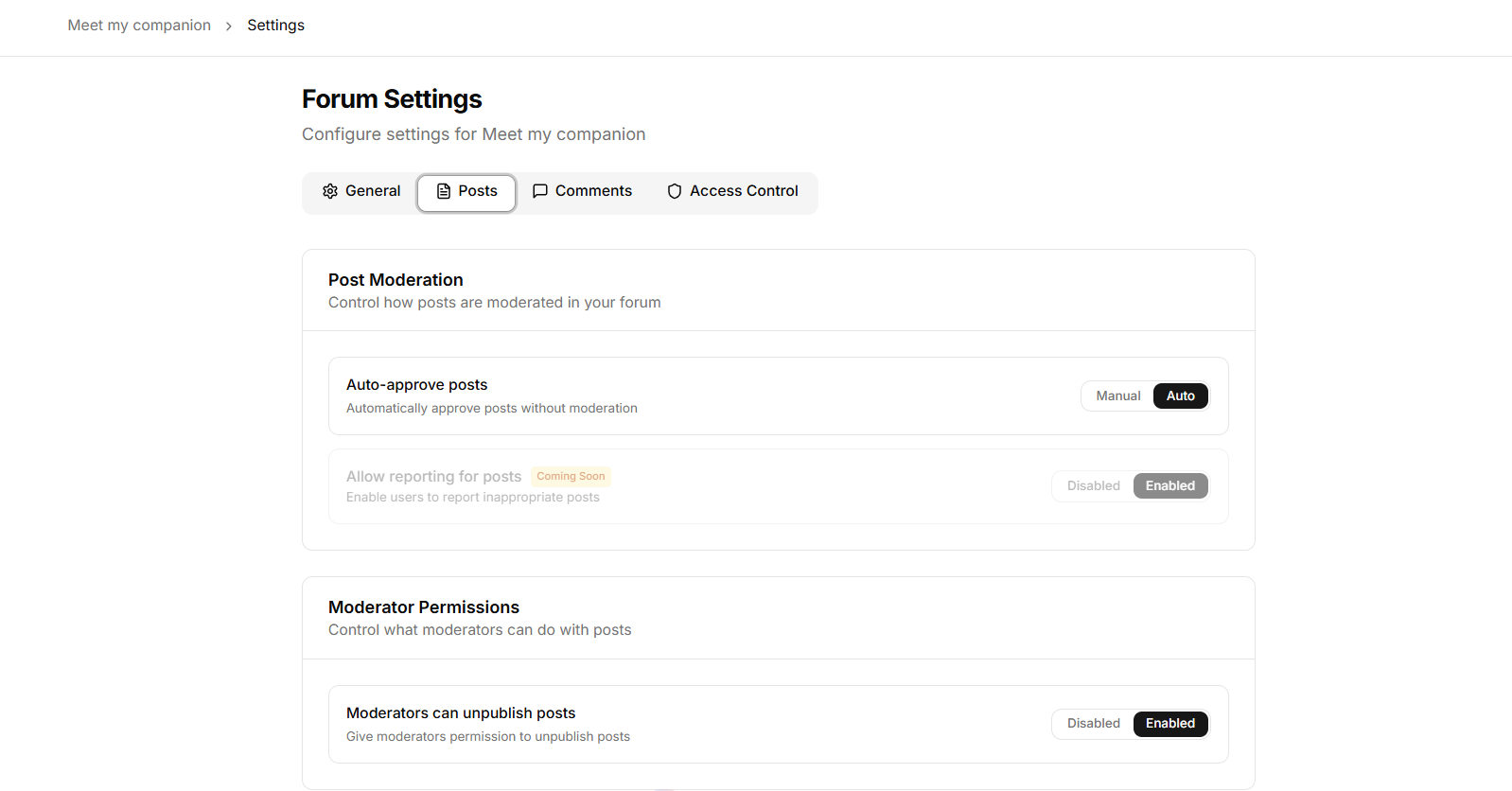
Controls how posts are created, moderated, and viewed.
All changes save instantly.
Moderation
Auto-approve posts
Manual → Posts require approval before publishing
Auto → Posts go live immediately
Moderator Permissions
Unpublish posts
Disabled → Only admins can remove posts
Enabled → Moderators can hide posts without deleting them
Post Creation & Visibility
Users can create posts
Disabled → Only admins can post
Enabled → Members can create posts
Public post visibility
Members Only → Only logged-in members can view
Public → Anyone can view (interaction still requires login)
Comments
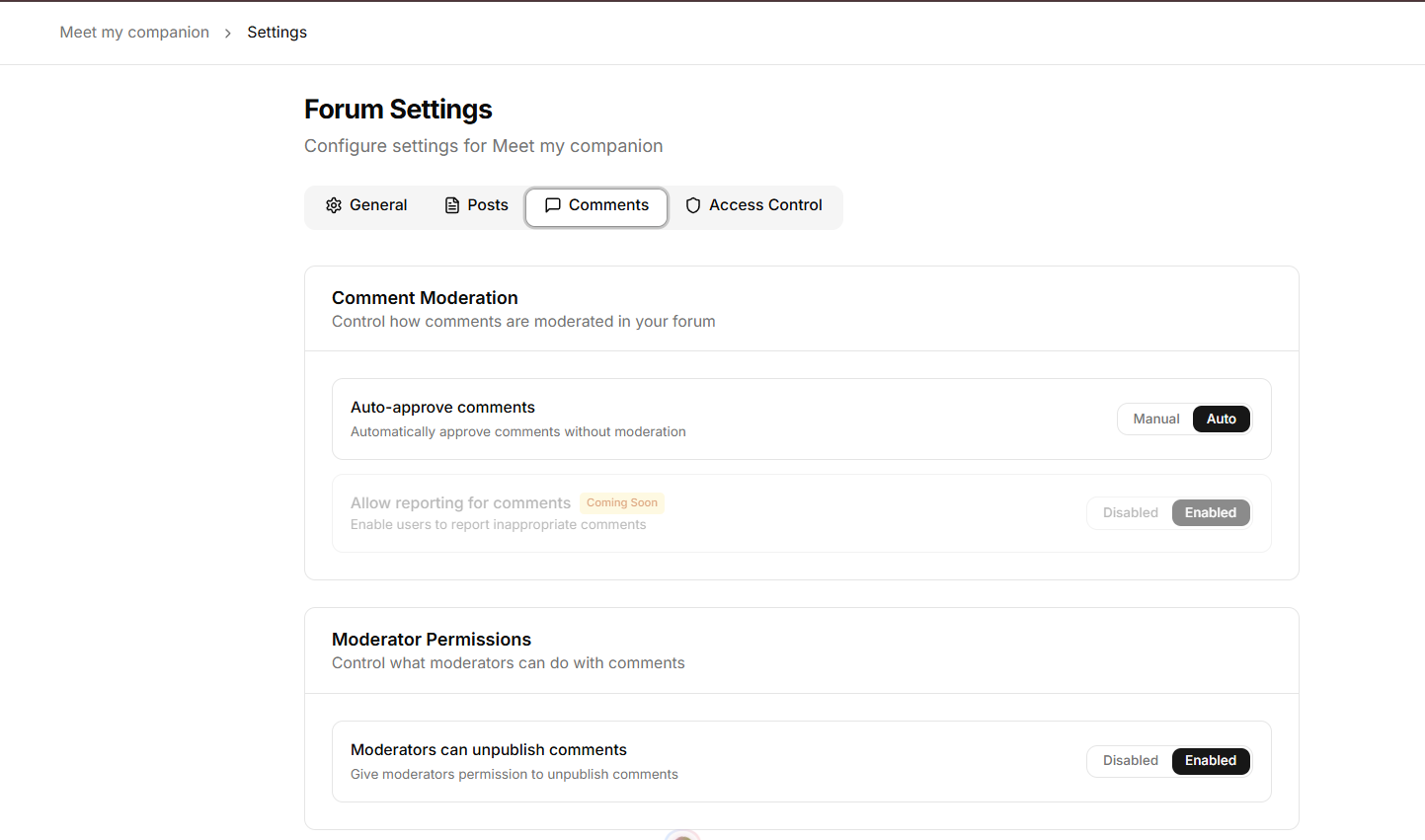
Same structure as Posts, but applies to comments.
Moderation
Auto-approve comments
Manual → Requires approval
Auto → Instantly visible
Moderator Permissions
Unpublish comments
Disabled → Only admins can remove
Enabled → Moderators can hide comments
Visibility
Public comment visibility
Members Only → Only members can view
Public → Anyone can read, only members can interact
Access Control
Defines how users join and access the forum.
Forum Access
Invite Only
Open → Any logged-in user gets access automatically
Invite Only → Access restricted to approved users
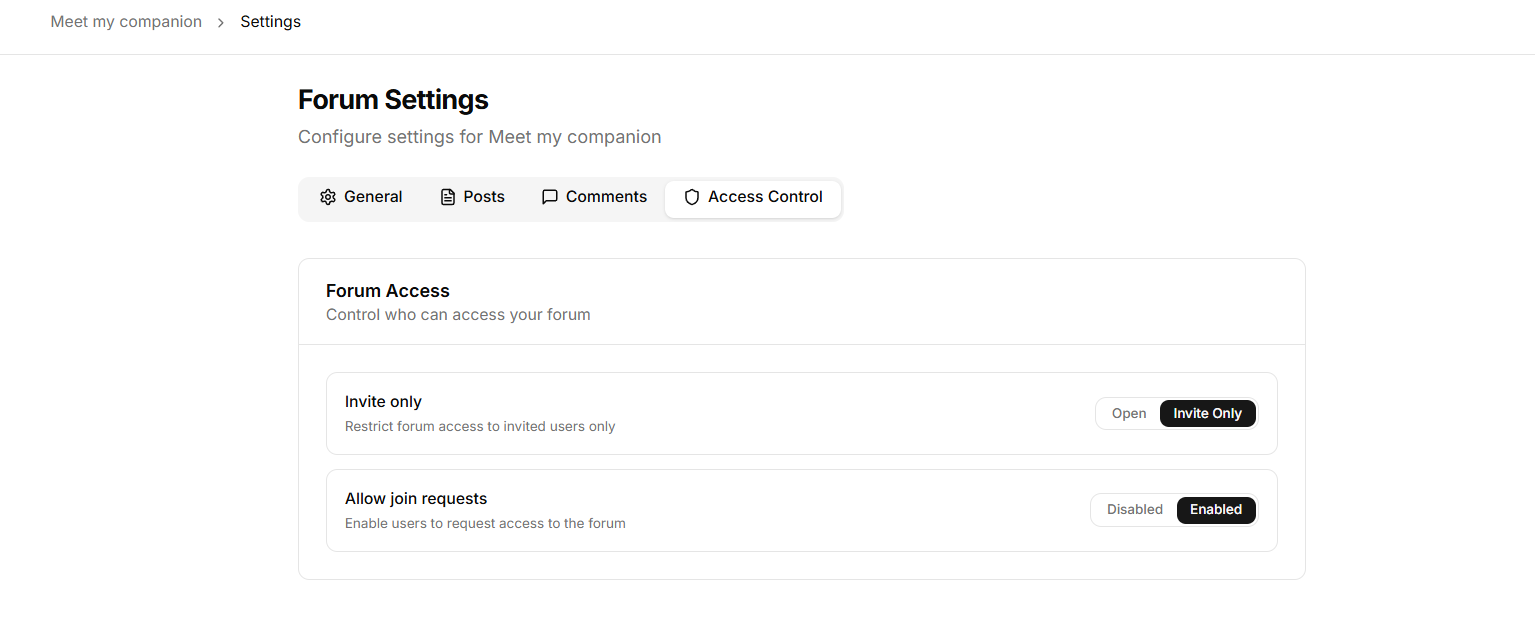
Join Requests
Allow join requests (only available in Invite Only mode)
Disabled → No way to request access
Enabled → Users can submit a request
After submitting, users see a “Request Pending” state.
Admins review requests under Members → Requests.
Users can also include a message to explain why they want access.
Who Can Access Your Forum
Open Forum
Staff → Full access
Logged-in users → Full access
Visitors (not logged in) → Can view if content is public
:check_mark: No approval needed
Invite Only Forum
Staff → Full access
Added members → Access
Approved users → Access
Others → No access unless approved
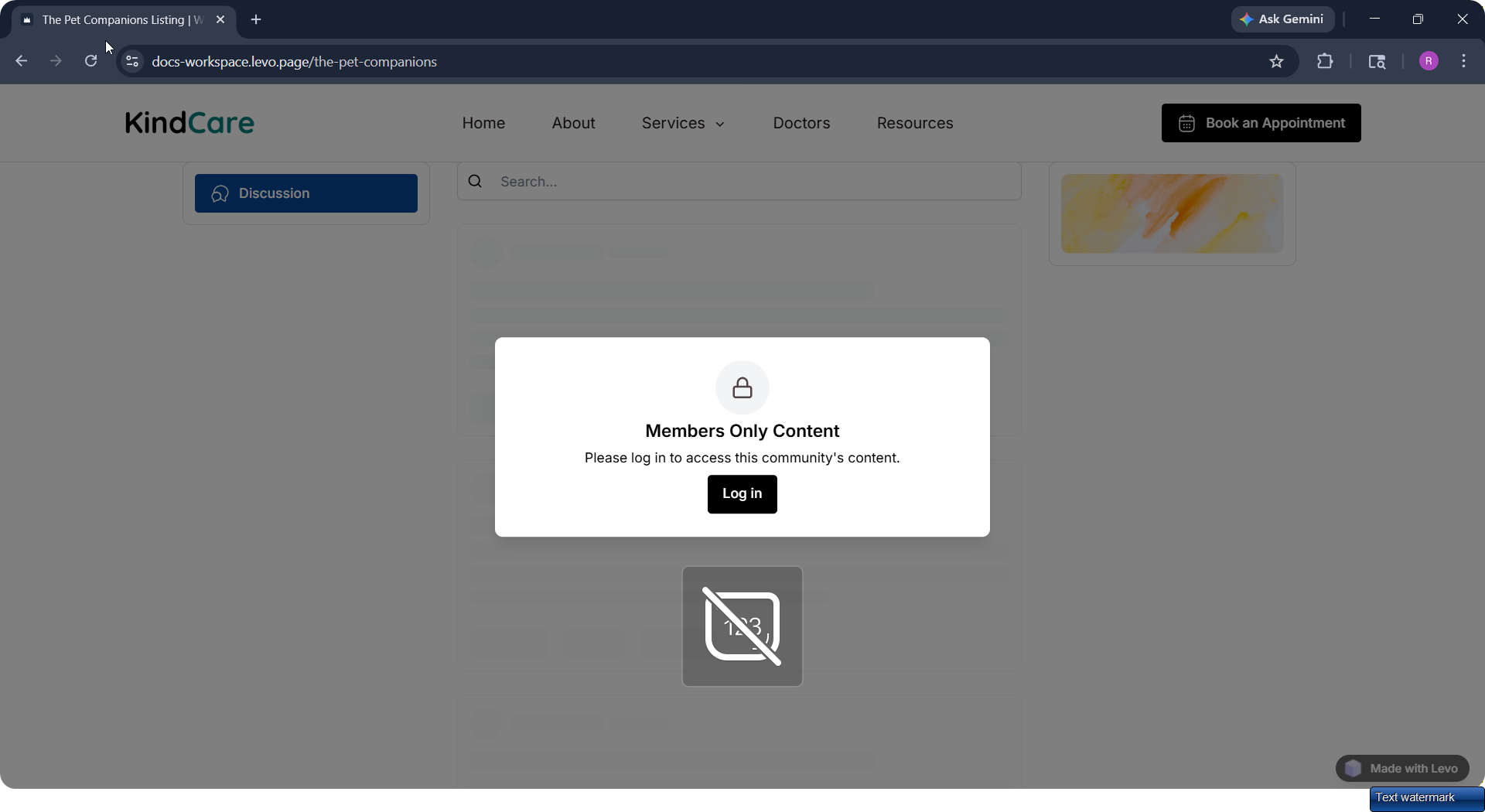
Locked State Experience
If a user doesn’t have access:
They see a restriction overlay
If join requests are enabled → can request access
If disabled → only a locked message is shown
Visibility Layer (Important)
Access and visibility are separate:
Forum Type | Post Visibility | Who Can Read |
|---|---|---|
Open | Members Only | Logged-in users |
Open | Public | Anyone |
Invite Only | Members Only | Approved members |
Invite Only | Public | Anyone (read-only) |