
Publishing Your Site
Table of Contents
In Levo, your edits are never shown to the public until you explicitly say so. This gives you the freedom to work on multiple pages at once, experiment with new designs, and only publish exactly what is finished and ready.
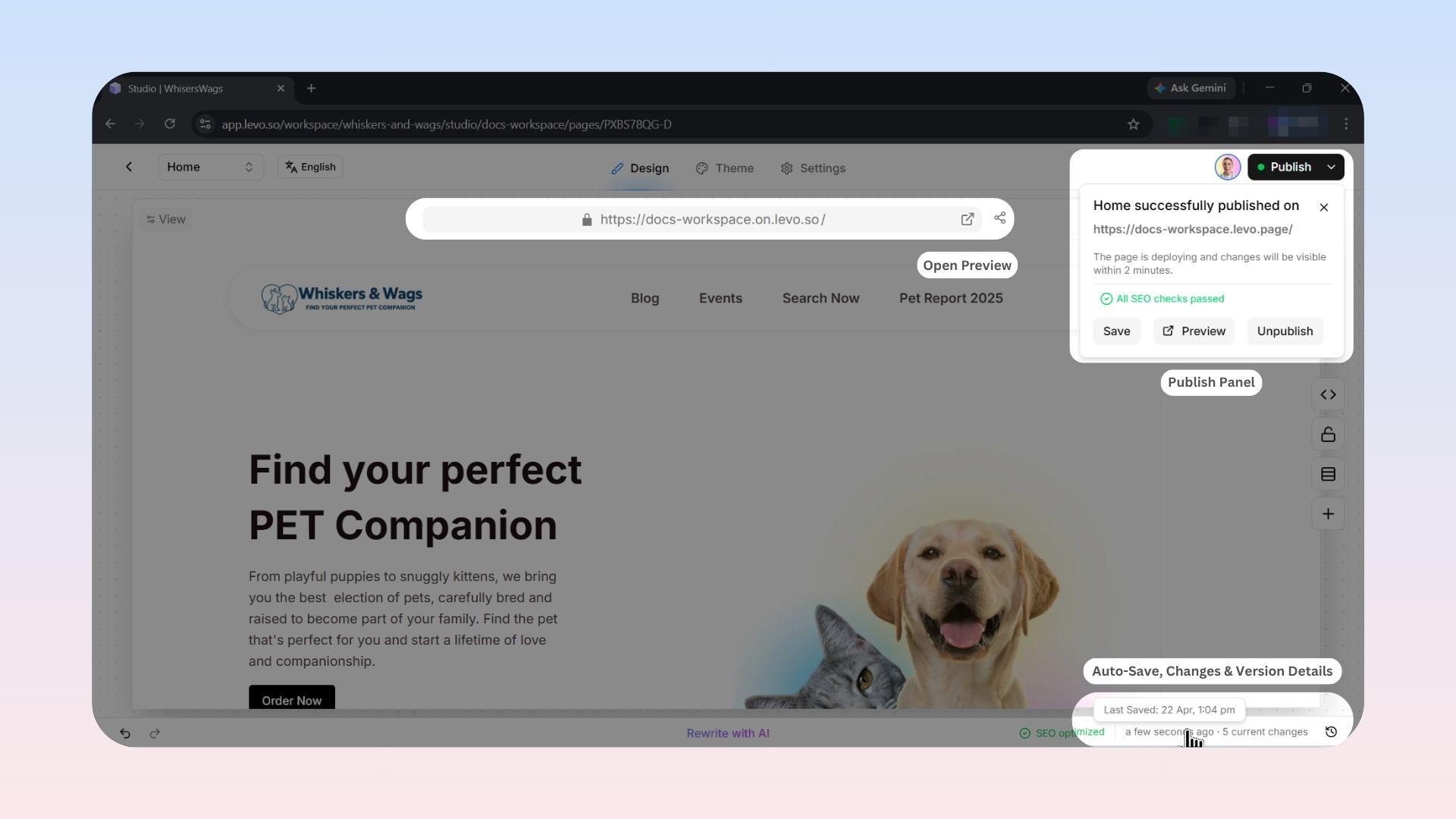
Three Key Superpowers
Auto-save: Levo constantly saves your work in the background. You never have to worry about losing progress if you accidentally close your tab!
Page-Level Publishing: You don't have to publish your entire website all at once. You are in control of publishing single, individual pages as they get finished.
Internal Previews: Every auto-saved change is instantly sent to a secret, private web link. This lets your team safely review what you are building before the rest of the world sees it.
Recommended Workflow
A typical workflow in Levo:
Edit Freely Make changes across pages while Levo handles saving in the background.
Review Privately Use Preview to check your work and share links with your team or clients.
Optimize with AI Use AI SEO Fix to refine titles, descriptions, and keywords.
Publish Selectively Publish only the pages that are ready. Unfinished work remains hidden.
Domains & Publishing
Publishing updates your live site, but how users access it depends on your domain setup:
Domain Connected
If a custom domain (e.g., www.yourcompany.com) is connected, publishing updates your site at that address. Levo manages SSL and performance automatically.
Domain Not Added
If no custom domain is connected, your site is still live on a default Levo URL (e.g., your-project.levo.so), allowing you to share it immediately.
Professional Controls
Page Status Indicators
Levo provides clear indicators within the Studio:
Green Dot: Page is live and connected to your domain
Yellow/Orange Dot: Page is live, but has unpublished changes
No Dot: Page exists only as a draft
Unpublishing
You can take any page offline using Unpublish. The page is removed from the public web and sitemap, while all content remains محفوظ as a draft.
Automatic SEO
When you publish, Levo automatically updates your sitemap and notifies search engines like Google. No manual configuration is required.