
Levo Intelligence Chat & Ask Levo Intelligence
Table of Contents
Great decisions start with the right information but finding that information shouldn't slow you down. Instead of searching through pages, reports, or content manually, simply ask a question. Levo Intelligence Chat helps you uncover insights, explore ideas, and understand your workspace faster, so you can spend less time looking for answers and more time acting on them.
Meet Levo Intelligence Chat
Levo Intelligence Chat is your workspace-wide AI assistant. Unlike editor-specific assistants that focus on a single page or task, it helps you explore, analyze, and understand information across your entire workspace, making it the best place to start when your question goes beyond a single blog, page, or editor.
Where to find it?
From your Workspace Dashboard, open Levo AI from the sidebar.
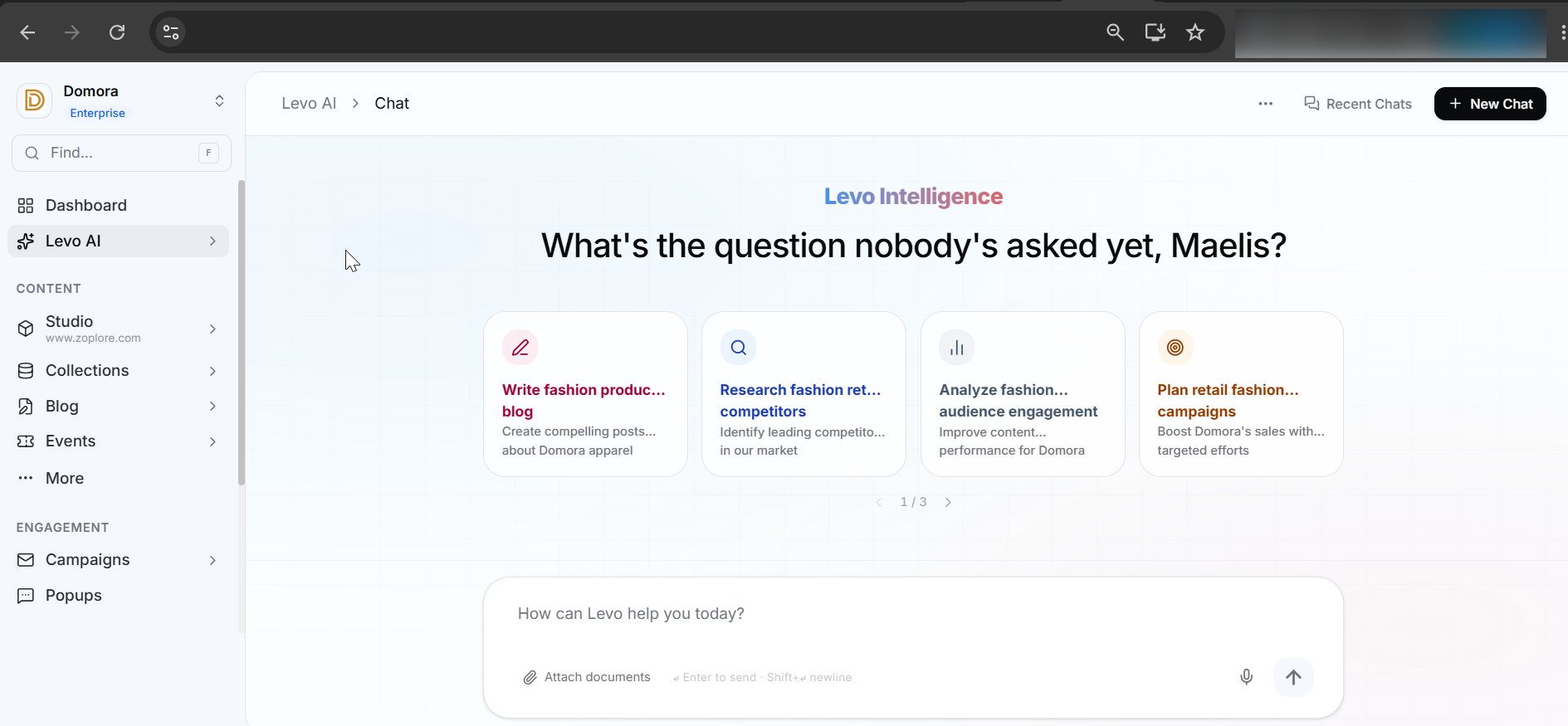
Click on Chat. It opens as a full-page conversation interface.
The Conversation History panel helps you keep track of your chats. You can:
Search, View and reopen previous conversations.
Share conversations with your workspace or make them private again.
Copy chats as Markdown or download them as a .md file.
Mute notifications for conversations you no longer want updates from.
Some Common Use Cases
Analyze Performance
Turn analytics into clear insights. Compare metrics, understand trends, and get easy-to-read summaries of your workspace performance.
Research & Summarize
Research topics beyond your workspace, gather key information, and receive organized summaries or reports .
Learn About Levo
Need help using a feature? Ask Levo Intelligence questions about workflows, tools, or platform functionality and get instant guidance.
Try These Prompts
Tell me About the new Features of Levo.
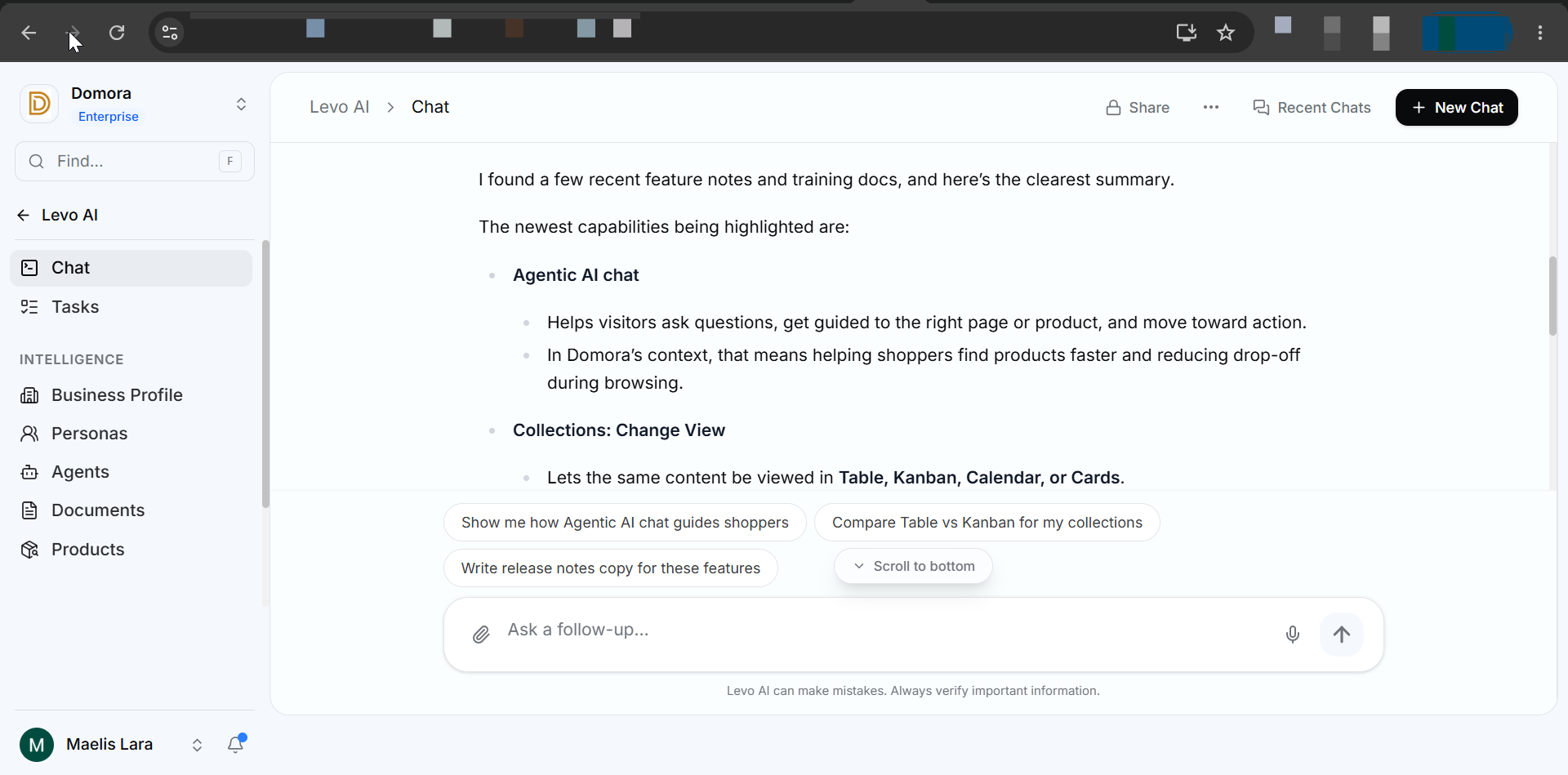
Help me create a content strategy for our upcoming product launch.
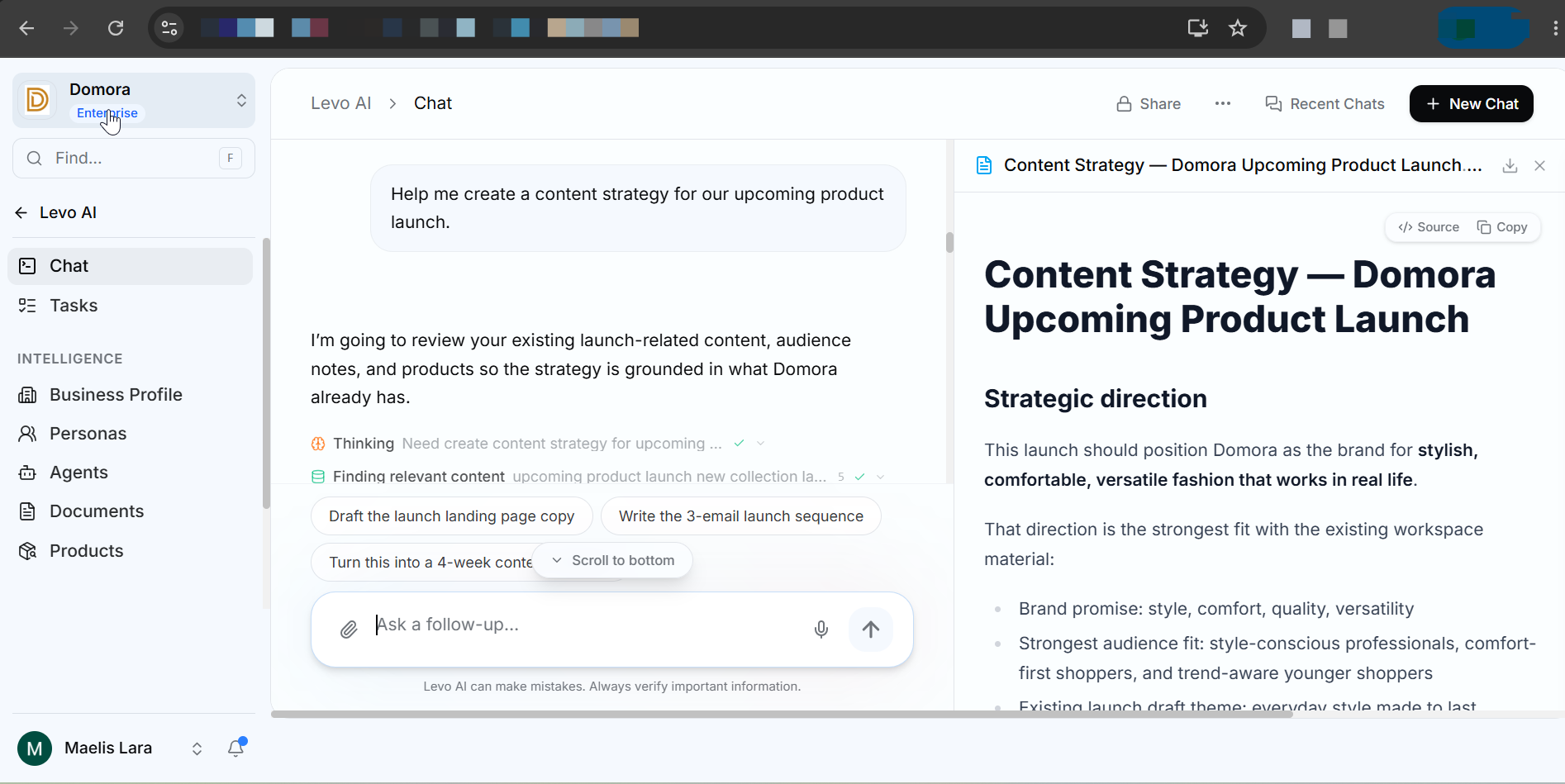
Need to Know
Every response uses AI credits, and the credits used are shown after each response.
Long requests run in the background, so you can continue working while Levo Intelligence chat processes them.
Most actions happen instantly there's no Apply/Discard step for queries, research, AI Documents, or image generation.
Levo Intelligence Chat is built for research and analysis. To create or edit blogs and pages, use Blog Chat or Studio Chat.
Have you ever noticed a floating chat at the bottom in your Dashboard? Or You Need a quick answer without leaving your current page?
Ask Levo Intelligence is always just one click away. It helps you understand what you’re looking at, find features faster, and get instant answers while you continue working without switching screens.
Meet Ask Levo Intelligence
Ask Levo Intelligence is your always-available AI assistant inside the Levo dashboard, providing quick, context-aware help while you work.
Unlike Levo Intelligence Chat, which is designed for workspace-wide research and longer conversations, it focuses on the page you're currently viewing, making it ideal for instant answers and guidance without interrupting your workflow.
Where to find it?
Look for the Ask Levo Intelligence floating chat in the bottom-right corner of any page in the Levo dashboard.

2. Click the it to open it and start chatting instantly.
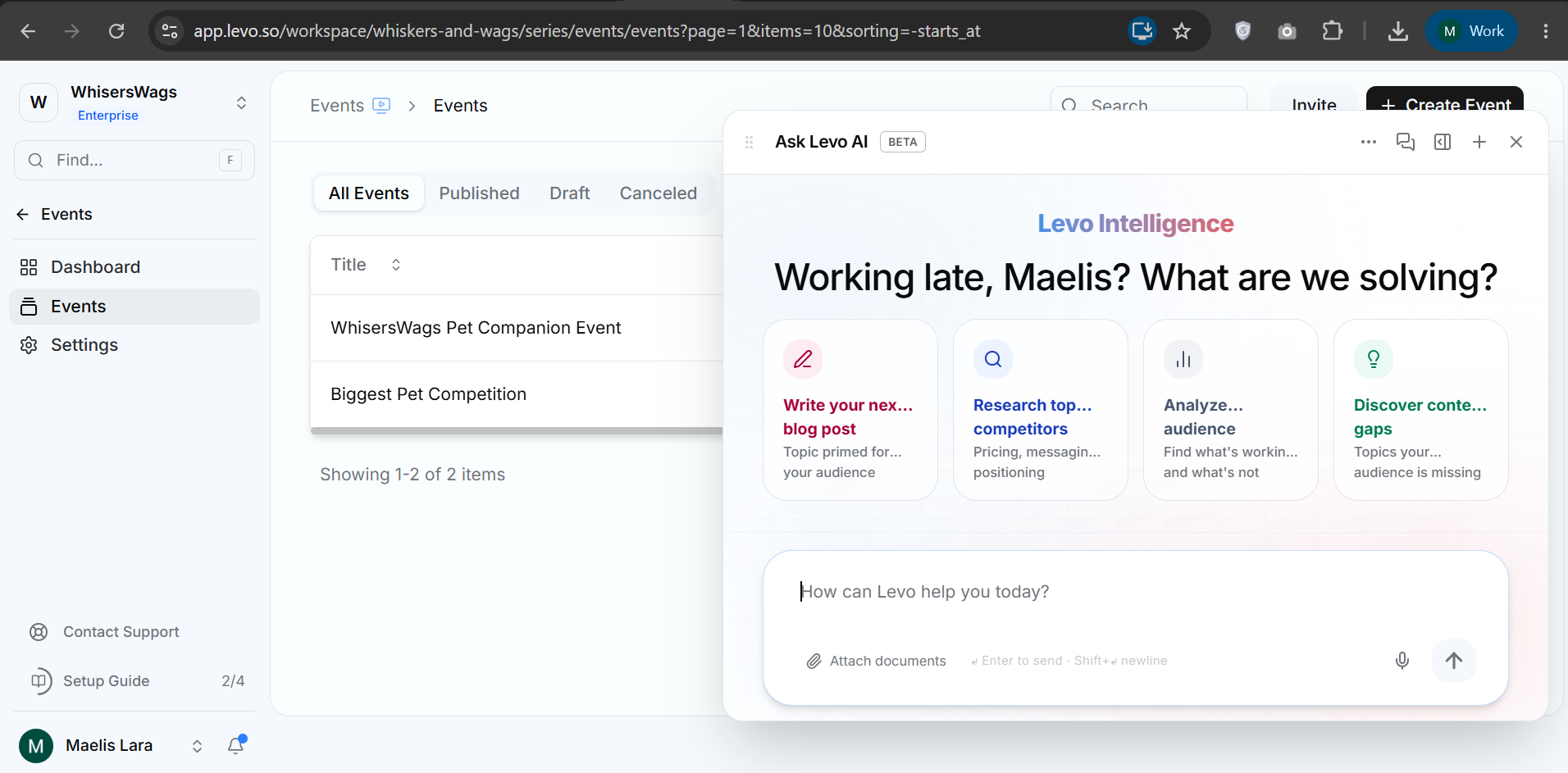
Ask Levo Intelligence supports:
Floating Panel Mode
Sidebar Mode
Open in playground : to continue longer conversations in Levo Intelligence Chat.
You can also find your recent conversations , add new chat , Copy chats as Markdown or download them as a .md file.
Some Common Use Cases
Understand What You’re Looking At
“What does this setting do?”, “Why is this option disabled?”, “What happens if I enable this?”
Understand Analytics
“Summarize this page’s traffic”, “What do these numbers mean?”, “How is this metric calculated?”
Find Features Faster
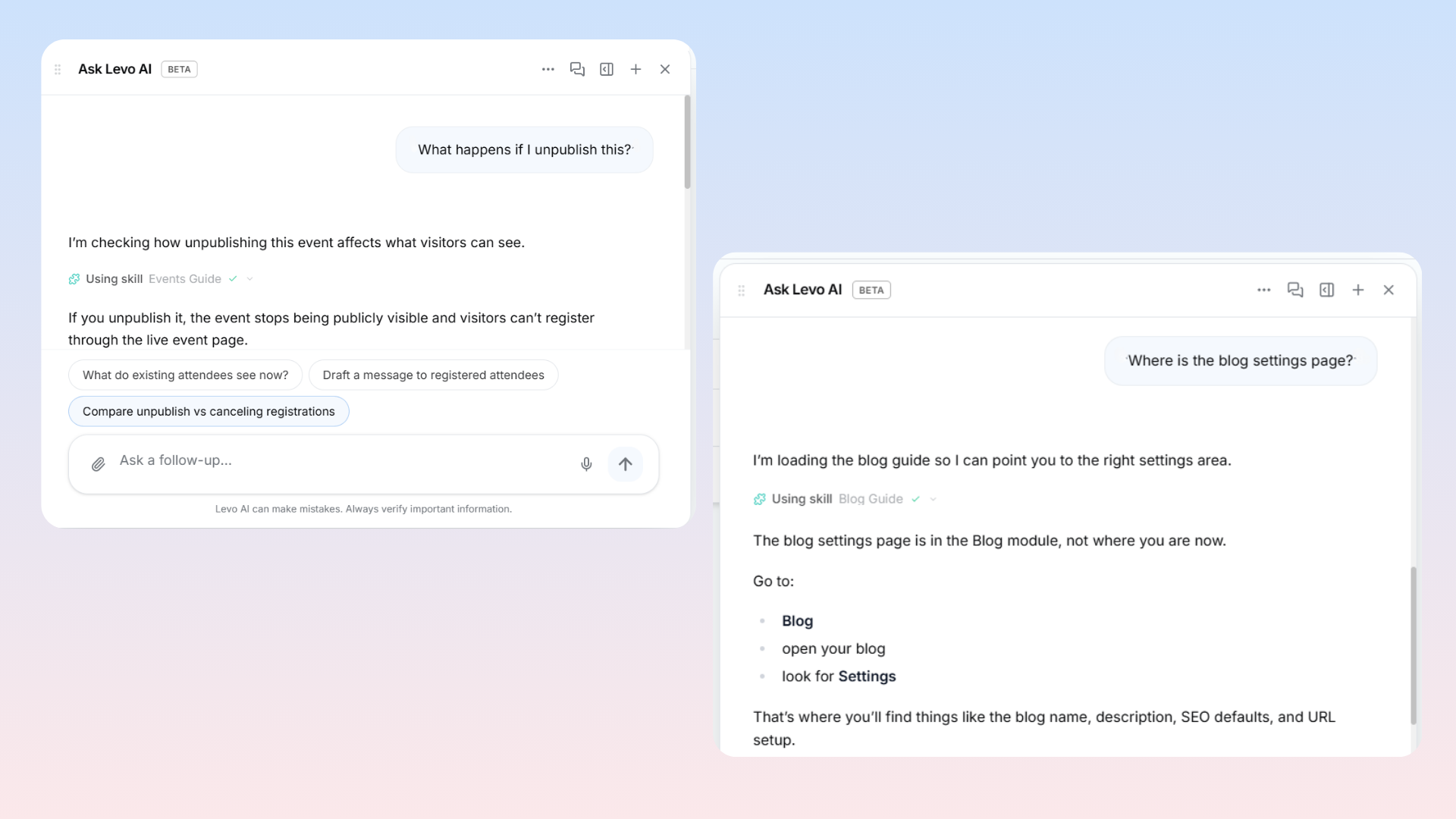
“Where do I create a redirect?”, “Where is the blog settings page?”, “How do I manage collections?“
Get Instant Product Help
“What happens if I unpublish this?” , “How do redirects work here?”, “What's the difference between Archive and Delete?”
Need to Know
Open chat tabs are available only during your current browser session and will close if you refresh the page or leave Levo. But you can find then in your recent conversations.