
How Levo AI Works Across the Platform
Table of Contents
How Levo AI Works
At Levo, AI isn't an extra tool you have to set up - it's built right into everything you do. We designed it to help you get started fast, so you never have to stare at a blank screen.
Here is how our AI helps you every day:
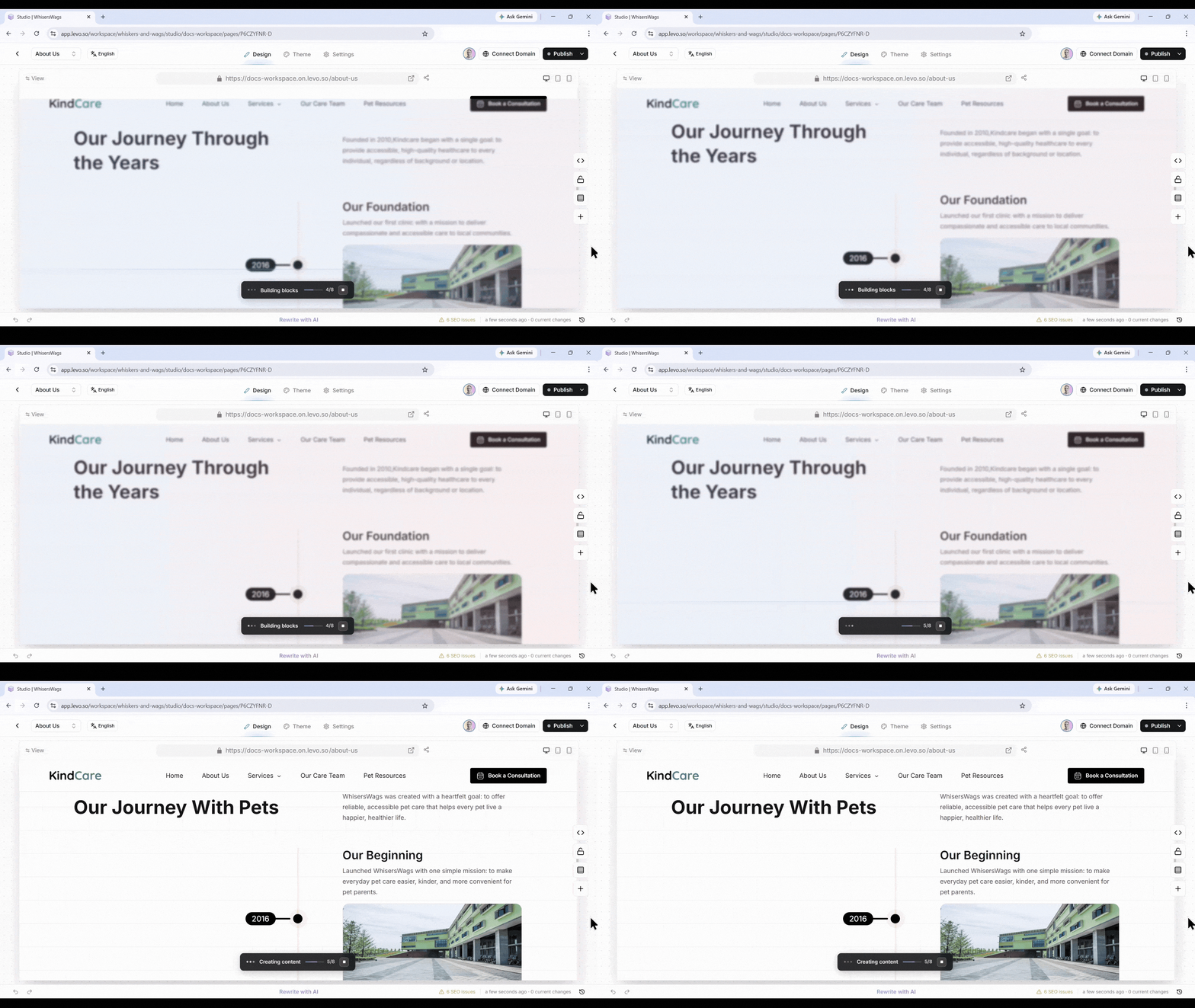
1. The AI Website Builder
Build on 80% finished website. Just make the final tweaks.
It does the hard work for you by creating:
Right Pages: Pages that fit your type of business.
Perfect Layouts: Sections that look great on those pages.
Good Writing: Starter text that sounds like your brand.
Matching Colors: Fonts and colors that fit your style.
2. The AI Bar
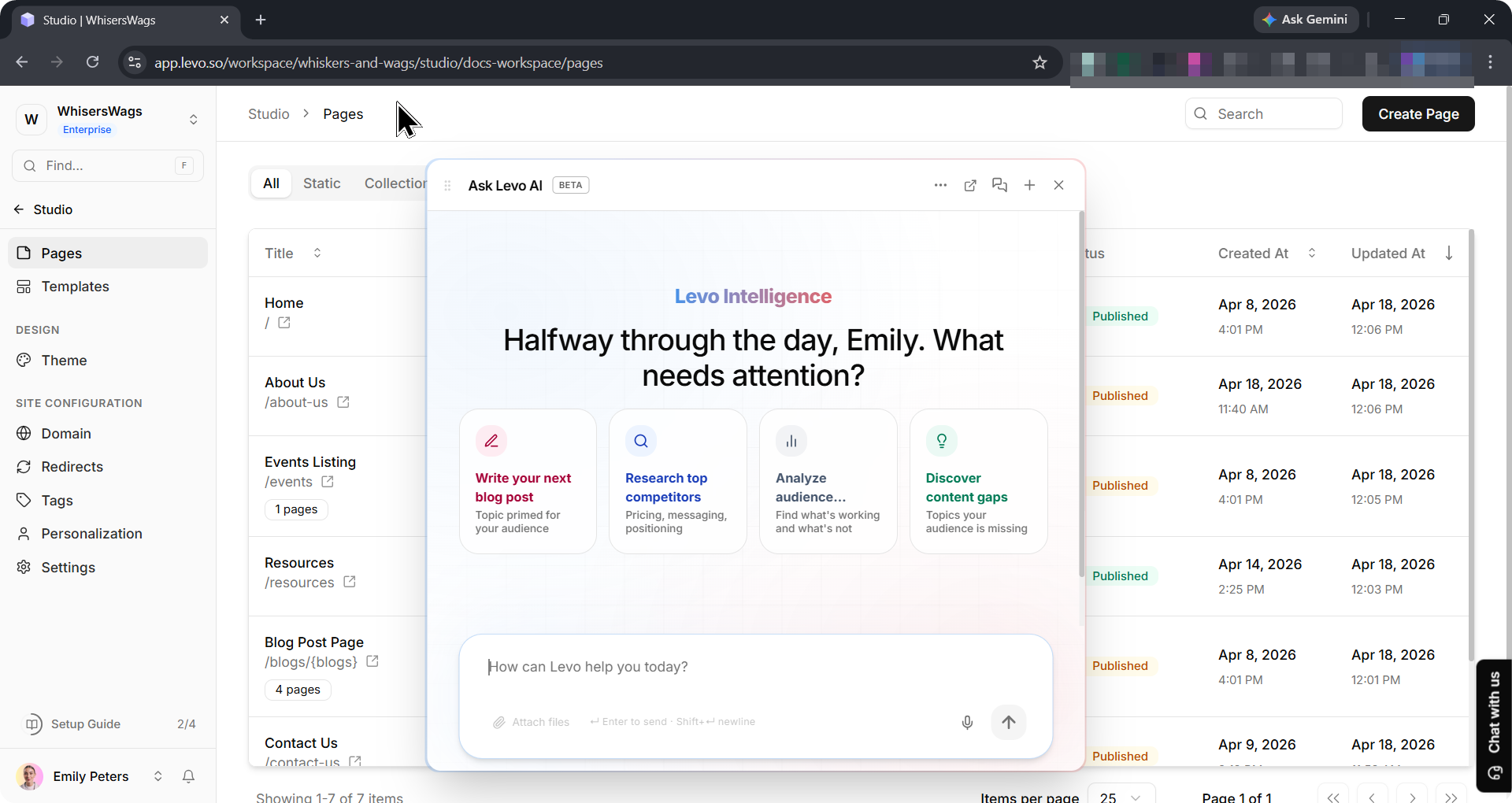
Your AI helper is always there. No matter where you are in the app, a small AI helper sits at the bottom of your screen.
Ask Anything: Need help or want to know more about your workspace? Just type your question and get an instant answer.
It Knows Where You Are: It changes its advice based on if you are looking at Blogs, Events, or Pages.
3. Fresh Dashboard Ideas
Never run out of things to say.
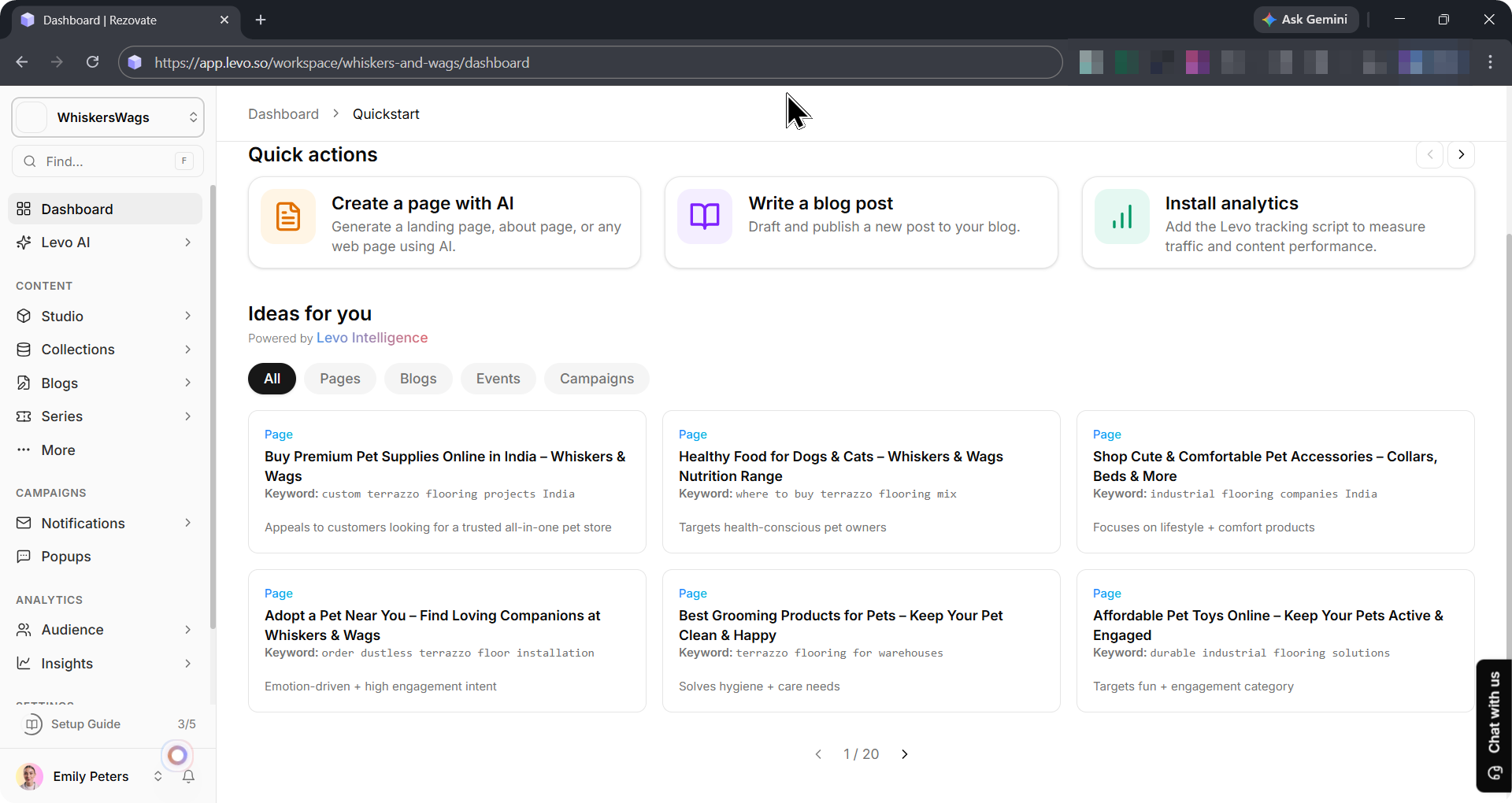
Your main screen is an idea machine. It shows a grid of new ideas made up by AI, like topics for blog posts, new events, and marketing plans.
Every idea card gives you:
A great title.
The main word to focus on.
A quick reason why the idea is good for your readers.
4. It Learns With You ✨
The more you use it, the smarter it gets.
The answers you give when you first join help the AI learn. As you add more content and get more visitors, the AI gets better at giving you ideas that perfectly match your style.