
Adding Animations to Elements & Sections
Table of Contents
Most websites today look good.
But only a few actually feel good to use.
That difference often comes down to one simple thing - animation.
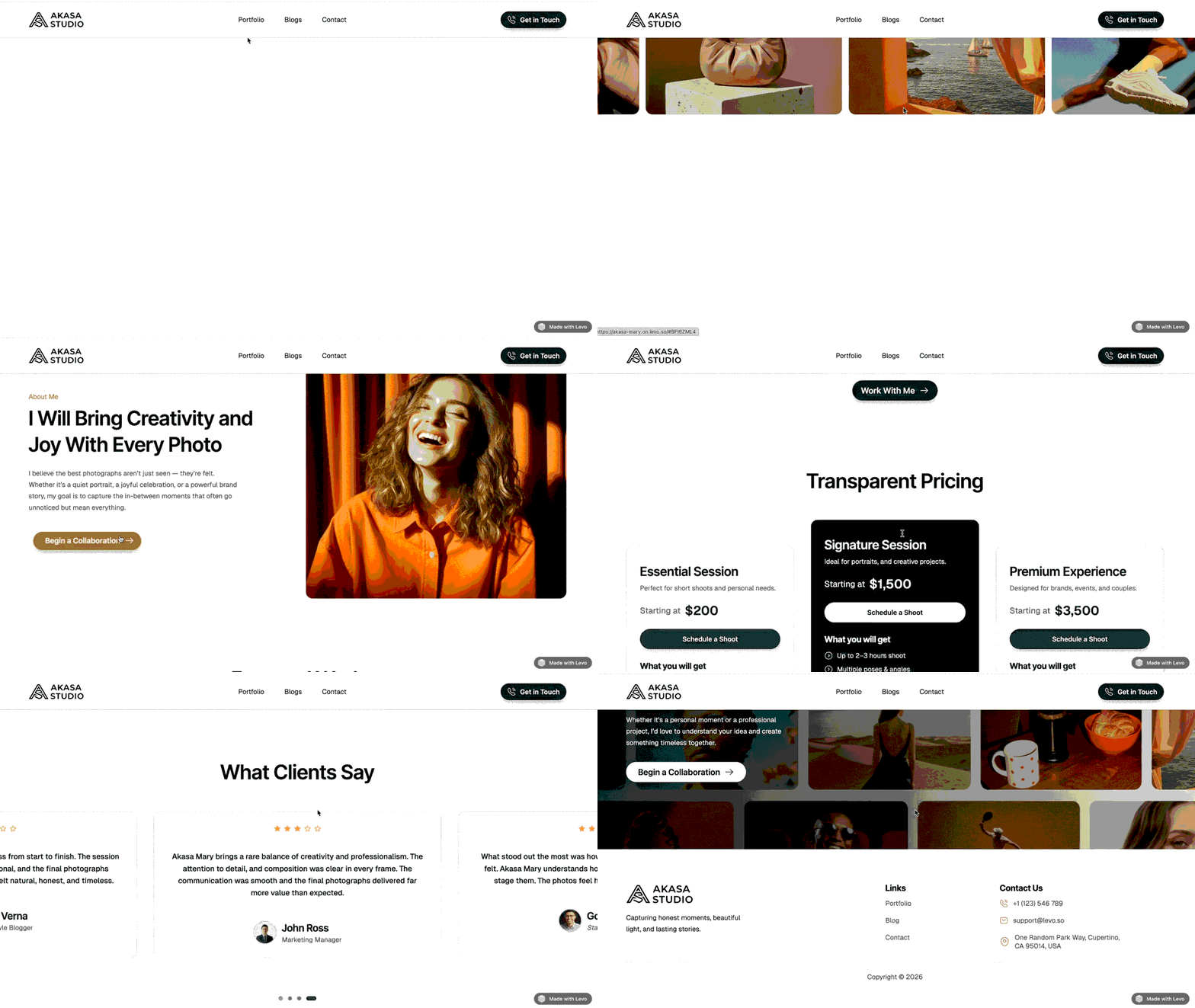
Subtle movements like text sliding into view, buttons reacting on hover, or images responding to scroll can completely change how a website feels. Instead of static content, you create an experience that feels alive, interactive, and modern.
The best part?
With Levo, you can add all of this without writing a single line of code.
In this guide, we’ll explore how to add animations to elements and sections — and how to use them effectively.
Understanding Animation Types in Levo
Before adding animations, it’s important to understand how they work.
Levo provides three core animation types — each designed for a different interaction.
Entry Animation: Plays exactly once when an item first pops onto the screen. Perfect for making headings fade in elegantly or letting photos slide up smoothly.
Scroll Animation: Plays continuously as the visitor scrolls up and down the page! Great for creating cool, movie-like "parallax" depth effects.
Hover Animation: Plays when a visitor places their mouse over an item. Awesome for making buttons pop up or icons spin when touched!
 Important Rule: You cannot have both an Entry and a Scroll animation on the exact same item. (But you CAN easily mix a Hover effect with either of them!)
Adding Animations to Elements:
Adding animations in Levo is straightforward.
Start by selecting any element — text, image, button, or section — and open the Animation settings from the side panel.
From here, you can choose the type of animation and customize how it behaves.
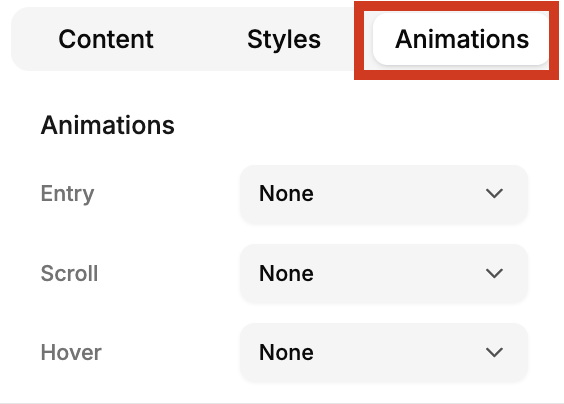
Learn about these animation types in detail on the following blocks.
Animating Sections & Background Effects:
Beyond individual elements, you can also apply animations to entire sections.
This works the same way — select the section and apply entry, scroll, or hover animations.
But Levo also adds something more powerful: background effects.
To apply background effects, select any section or a block, on the right panel you can find Background effects.
These effects work specifically on blocks and help enhance the visual depth of your sections.
There are three types of background effects you can choose from:
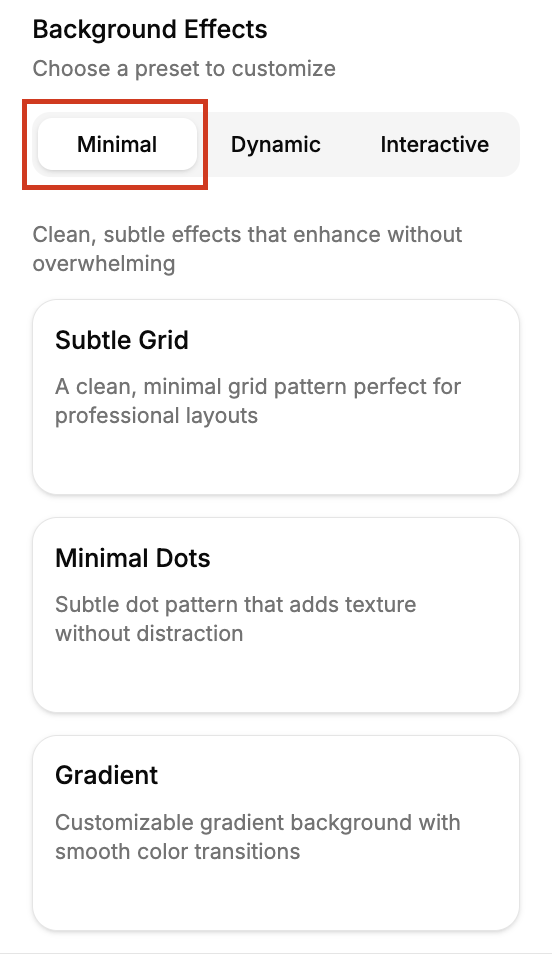
1. Minimal Effects:
It gives clean and subtle — perfect for professional layouts.
You can choose from:
Subtle Grid → a clean grid pattern for structured designs
Minimal Dots → adds light texture without distraction
Gradient → smooth, customizable color transitions
Best for: corporate, SaaS, and minimal designs
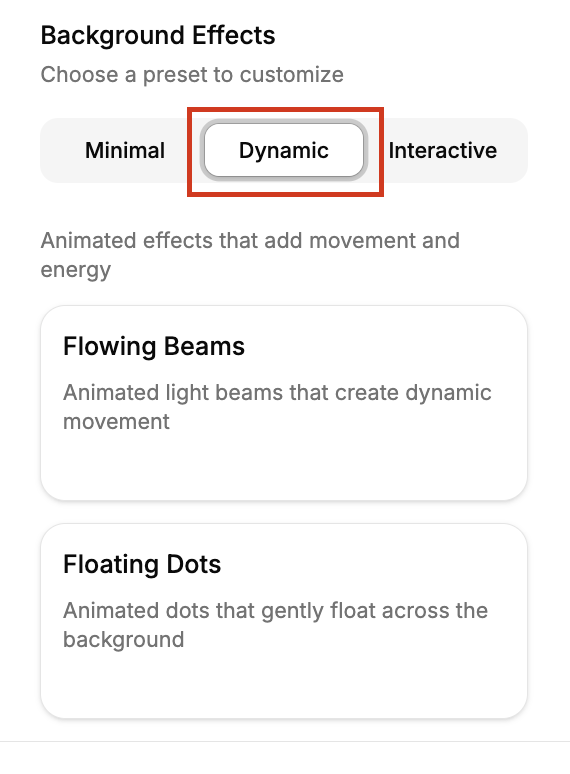
2. Dynamic Effects:
These add motion and energy to your background.
You can choose from:
Flowing Beams → animated light beams that create movement
Floating Dots → soft animated dots moving across the background
Best for: modern, high-energy, or creative sections
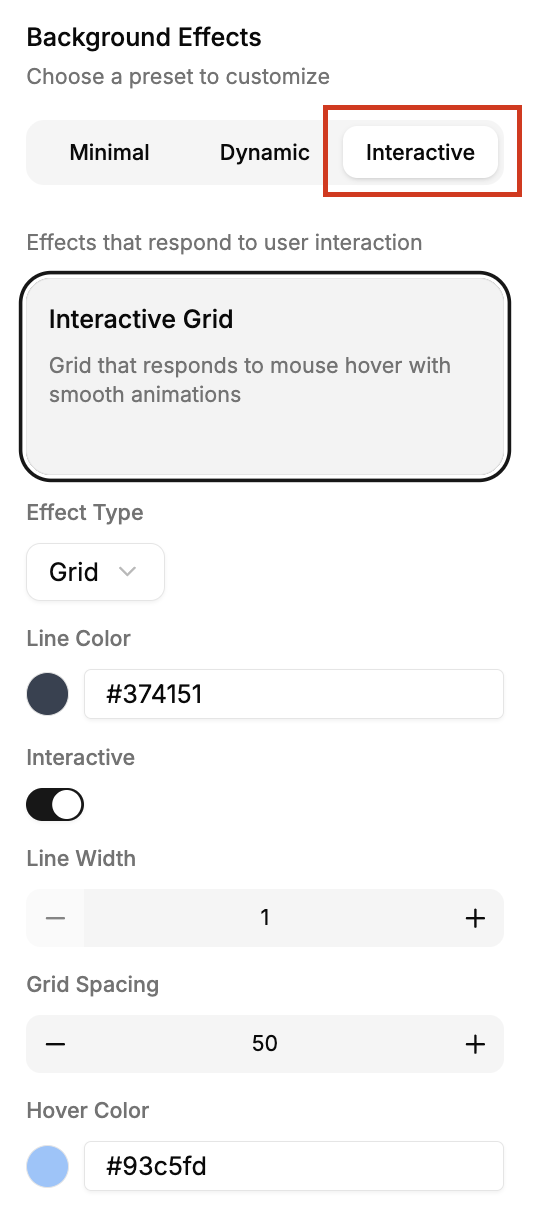
3. Interactive Effects:
These respond directly to user interaction.
Interactive Grid → reacts to mouse movement with smooth animations
Best for: engaging, interactive experiences
Animations can completely transform how your website feels.
With Levo, you can:
animate any element
create smooth interactions
add dynamic backgrounds
build modern, engaging experiences
All without complexity.
Sometimes, it’s the smallest motion that makes the biggest impact.
Start experimenting with animations and background effects in your next design —
and bring your website to life.